Keep your Folk contacts clean and deduplicated
Every Monday, WebRun opens Folk, reviews the contacts added or synced in over the past week, checks each one against the Airtable master relationship database for a likely duplicate, and logs any new contact missing a company, role, or email to a Notion cleanup list so the database stays reliable as it grows.
- No credit card
- Under $0.01 per run
- Cancel anytime
How do I keep my Folk contacts deduplicated and complete?
Every Monday, WebRun checks the contacts added to Folk over the past week against your Airtable master relationship database, flagging any that look like a likely duplicate. It also logs new contacts missing a company, role, or email to a Notion cleanup list, so the database stays reliable without anyone deleting or merging a record automatically.
- Likely duplicates get flagged weekly instead of piling up for months
- Incomplete contacts are caught before they go stale
- The master database stays trustworthy as new contacts come in
Built for recruiters · boutique agencies · venture and deal teams · relationship driven sales
What does WebRun do on every run?
The exact actions WebRun takes, in order - in plain language, so you can adjust anything.
-
WebRun signs in and gets to work
Opens
folk.appin a real browser with your saved login - no setup, no API keys. -
1
Folk - find new contacts added this week
folk.app
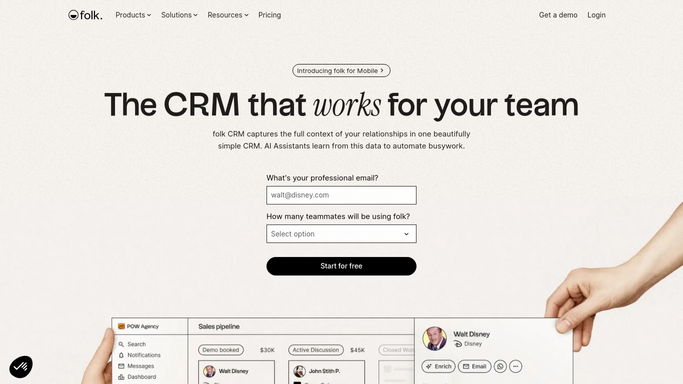
WebRun opens Folk to find new contacts added this week. - Open Folk and review contacts added or synced in over the past week
- Note the source each new contact came from
- Capture the company, role, and email for each
Done when Every new contact from this week has been captured with its details.
-
2
Airtable - check against the master list for duplicates
airtable.com How to Automate Airtable

WebRun opens Airtable to check against the master list for duplicates. - Check each new Folk contact against the master relationship database
- Flag any contact that looks like a likely duplicate by name and company
- Leave existing records untouched, this step only compares
Done when Every new contact has been checked against the master list for duplicates.
-
3
Notion - log contacts missing key details
notion.so How to Automate Notion

WebRun opens Notion to log contacts missing key details. - Log any new contact missing a company, role, or email to the cleanup list
- Note the likely duplicate match where one was found
- Group entries by how they came in, so patterns are easy to spot
Done when The Notion cleanup list reflects every incomplete or duplicate contact from this week.
How is each run configured?
Secure by default
Connect once, stays signed in
WebRun signs in once and keeps each session in a persistent environment, so every run picks up right where it left off.
Every action is checked against this policy before it runs.
Questions, answered
Does it merge or delete any contact automatically?
No. WebRun only flags likely duplicates and missing details on a Notion list. Merging or deleting a record is still a decision made by your team.
How does it decide something is a likely duplicate?
It compares the name and company of each new Folk contact against the Airtable master list, so a flag means a real match on those fields, not a loose guess.
What counts as a key detail?
A missing company, role, or email on a new contact. Those are the fields most workflows rely on, so a gap there is what lands a contact on the cleanup list.
Related templates
Put this on autopilot.
Turn it on in minutes - or have our team set it up for you.