Export your team's Fitbit challenge leaderboard
Every Monday, WebRun opens Fitbit, checks each participant's step count for the company wellness challenge, exports the week's leaderboard to Google Drive, and texts anyone whose device hasn't synced in two days over Twilio so the standings stay accurate.
- No credit card
- Under $0.01 per run
- Cancel anytime
How do I run a fair weekly Fitbit step challenge leaderboard for my team?
WebRun checks Fitbit every Monday for each participant's step count in a company wellness challenge, exports the leaderboard to Google Drive, and texts anyone with a two day sync gap over Twilio. Wellness program admins get an accurate weekly standings sheet instead of a leaderboard skewed by unsynced devices.
- The leaderboard exports the same time every Monday
- Sync gaps get flagged and fixed before standings are final
- A full challenge history builds automatically in Drive
Built for corporate wellness program admins · HR administrators · office managers · employee engagement teams
What does WebRun do on every run?
The exact actions WebRun takes, in order - in plain language, so you can adjust anything.
-
WebRun signs in and gets to work
Opens
www.fitbit.com/loginin a real browser with your saved login - no setup, no API keys. -
1
Fitbit - check each participant's step count
fitbit.com
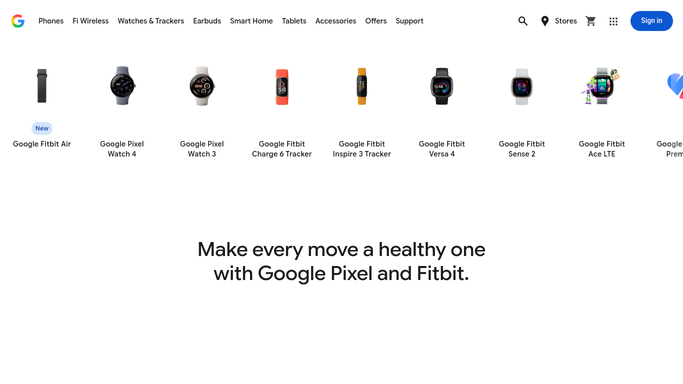
WebRun opens Fitbit to check each participant's step count. - Open the challenge and list every participant's step count
- Note each participant's last sync date
- Flag anyone who hasn't synced in two days or more
Done when Every participant's step count and last sync date are captured.
-
2
Google Drive - export the week's leaderboard
drive.google.com How to Automate Google Drive

WebRun opens Google Drive to export the week's leaderboard. - Export the week's leaderboard ranked by step count
- Note anyone whose numbers may be incomplete due to a sync gap
- Keep prior weeks for a running challenge history
Done when This week's leaderboard is exported to Google Drive.
-
3
Twilio - text anyone who hasn't synced in 2 days
twilio.com How to Automate Twilio

WebRun opens Twilio to text anyone who hasn't synced in 2 days. - Text only participants who haven't synced in two days
- Ask them to open the app so their steps count
- Skip this step for anyone already synced
Done when Everyone with a sync gap has been texted a reminder.
How is each run configured?
Secure by default
Connect once, stays signed in
WebRun signs in once and keeps each session in a persistent environment, so every run picks up right where it left off.
Every action is checked against this policy before it runs.
Questions, answered
Does it access personal health data beyond the challenge?
No. WebRun only reads the step counts already shared for the workplace challenge. It does not open sleep, heart rate, or any other personal health data.
Why remind people to sync instead of just reporting what's there?
A sync gap makes a participant look like they stopped moving when they may just have an unsynced device. The reminder keeps the leaderboard fair before it's finalized.
Can participants opt out of the reminder text?
Yes. Anyone who wants to skip the challenge or the reminders can be excluded from the participant list WebRun works from.
Related templates
Put this on autopilot.
Turn it on in minutes - or have our team set it up for you.