See which competitors keep coming up on your calls
Every Monday, WebRun opens Fireflies.ai, reads the transcripts of last week's meetings, counts how often each competitor name and each pricing objection was said, logs the counts and the calls they came from in Airtable, and queues you a short SMS with the week's headline.
- No credit card
- Under $0.01 per run
- Cancel anytime
How do I track competitor mentions across my sales calls?
WebRun opens Fireflies.ai every Monday, reads last week's meeting transcripts, and counts how often each competitor and each pricing objection was mentioned. It logs every hit with its source call in Airtable, then queues a Twilio SMS with the headline, so your sales lead sees which rivals are trending before pipeline review.
- The sales lead sees which rivals are trending before pipeline review
- Every mention links back to the call and the exact line
- Rising objections surface within a week, not a quarter
Built for sales leaders · revenue operations · product marketing · B2B sales teams
What does WebRun do on every run?
The exact actions WebRun takes, in order - in plain language, so you can adjust anything.
-
WebRun signs in and gets to work
Opens
app.fireflies.aiin a real browser with your saved login - no setup, no API keys. -
1
Fireflies.ai - read last week's transcripts
fireflies.ai
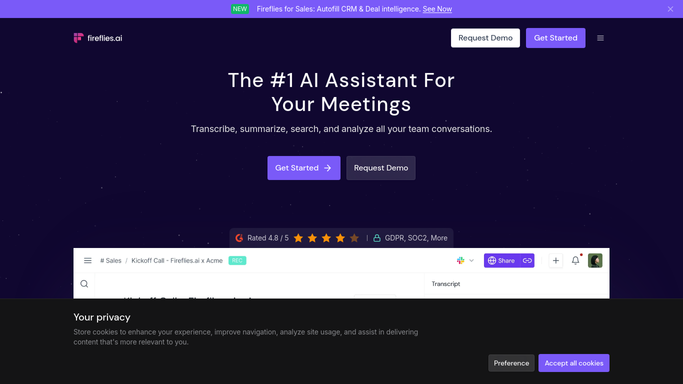
WebRun opens Fireflies.ai to read last week's transcripts. - Open Fireflies.ai and filter meetings to the last seven days
- Open each transcript and search it for your competitor names and objection keywords
- Record every hit with the meeting title, date, participants, and the sentence around it
Done when Every meeting from the past week has been read and its mentions captured.
-
2
Airtable - log mentions and source calls
airtable.com How to Automate Airtable

WebRun opens Airtable to log mentions and source calls. - Add one row per mention with the keyword, the meeting, the date, and the quoted line
- Roll the rows up into a count per competitor and per objection for the week
- Compare against the previous week so rising topics stand out
Done when This week's mention counts and their source calls are in Airtable.
-
3
Twilio - text you the headline
twilio.com How to Automate Twilio

WebRun opens Twilio to text you the headline. - Write a short SMS naming the top three competitors and the top objection with their counts
- Queue it against your own saved team numbers and leave it for you to approve
- Never text a customer or a meeting participant
Done when The weekly headline SMS is queued for your approval.
How is each run configured?
Secure by default
Connect once, stays signed in
WebRun signs in once and keeps each session in a persistent environment, so every run picks up right where it left off.
Every action is checked against this policy before it runs.
Questions, answered
Will it text anyone outside my team?
No. The SMS is queued against your own saved team numbers and waits for your approval before it sends. WebRun never texts a customer or a meeting participant.
Which words does it count?
The competitor names and objection phrases you give it, plus close variants and misspellings. Add or remove terms any week and the next run uses the new list.
Can I see the call a mention came from?
Yes. Every Airtable row carries the meeting title, the date, the participants, and the quoted sentence, so you can listen back to the exact moment in Fireflies.ai.
Related templates
Put this on autopilot.
Turn it on in minutes - or have our team set it up for you.