Chase stale Filevine case tasks before they slip
Every morning, WebRun opens Filevine, checks every open task across active cases for its last activity date, creates a Trello card for each task untouched for more than a week, and messages the responsible attorney or paralegal on WhatsApp so a stale task gets picked back up before it becomes a missed deadline or an unhappy client.
- No credit card
- Under $0.01 per run
- Cancel anytime
How do I catch stale Filevine case tasks before they become missed deadlines?
WebRun checks Filevine every morning for case tasks with no activity in over a week, creates a Trello card for each one, and messages the responsible attorney or paralegal on WhatsApp. That catches a task quietly going stale before it turns into a missed deadline, without WebRun ever contacting the client itself.
- Stale tasks get flagged within a day of going quiet
- The responsible team member is nudged directly, not just the firm generally
- Tasks that get new activity stop appearing on the chase list
Built for personal injury law firms · paralegals · case managers · litigation attorneys
What does WebRun do on every run?
The exact actions WebRun takes, in order - in plain language, so you can adjust anything.
-
WebRun signs in and gets to work
Opens
www.filevine.comin a real browser with your saved login - no setup, no API keys. -
1
Filevine - check case tasks with no activity in over a week
filevine.com
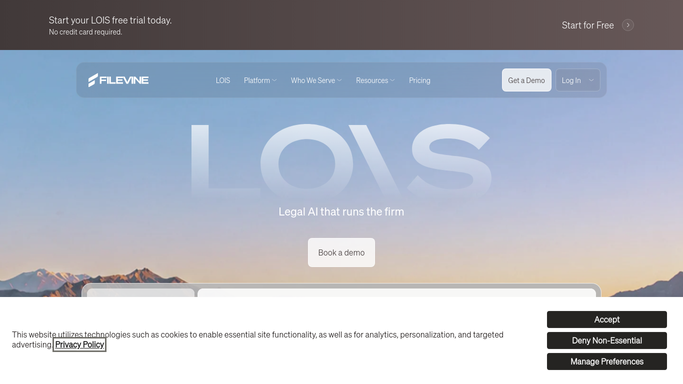
WebRun opens Filevine to check case tasks with no activity in over a week. - Open Filevine and list every open task across active cases
- Capture the task, case, owner, and last activity date for each
- Filter to tasks with no activity in the last 7 days
Done when Every task untouched for a week or more is captured with its owner.
-
2
Trello - create a card for each stale task
trello.com How to Automate Trello

WebRun opens Trello to create a card for each stale task. - Create a card for each newly stale task
- Add the case name, owner, and days since last activity to the card
- Skip creating a duplicate if a card already exists for that task
Done when A Trello card exists for every stale task.
-
3
WhatsApp - message the responsible attorney or paralegal
whatsapp.com How to Automate WhatsApp

WebRun opens WhatsApp to message the responsible attorney or paralegal. - Message the responsible attorney or paralegal for each stale task
- Name the case, task, and how many days it has sat untouched
- Stay quiet on mornings with nothing newly stale
Done when The responsible person has been messaged for every stale task.
How is each run configured?
Secure by default
Connect once, stays signed in
WebRun signs in once and keeps each session in a persistent environment, so every run picks up right where it left off.
Every action is checked against this policy before it runs.
Questions, answered
Will it complete the task or contact the client for me?
No. WebRun only reads task activity from Filevine and tracks it. Completing the task or contacting the client stays a step the responsible attorney or paralegal takes.
Does it message the client about their case?
No. It only messages your internal attorney or paralegal on WhatsApp, never the client directly.
What happens once a stale task gets activity again?
It reads the live task activity in Filevine each morning, so a task updated since the last run stops appearing as newly stale.
Related templates
Put this on autopilot.
Turn it on in minutes - or have our team set it up for you.