Flag Filestage reviews at risk of missing deadline
Every morning, WebRun opens Filestage, checks every active review round for decisions still outstanding, flags any round within two days of its deadline with feedback unresolved, posts the at risk list to Slack for the studio, and drafts a Telegram nudge naming the specific reviewer holding things up, leaving it unsent for the project manager to send.
- No credit card
- Under $0.01 per run
- Cancel anytime
What does WebRun do on every run?
The exact actions WebRun takes, in order - in plain language, so you can adjust anything.
-
WebRun signs in and gets to work
Opens
filestage.ioin a real browser with your saved login - no setup, no API keys. -
1
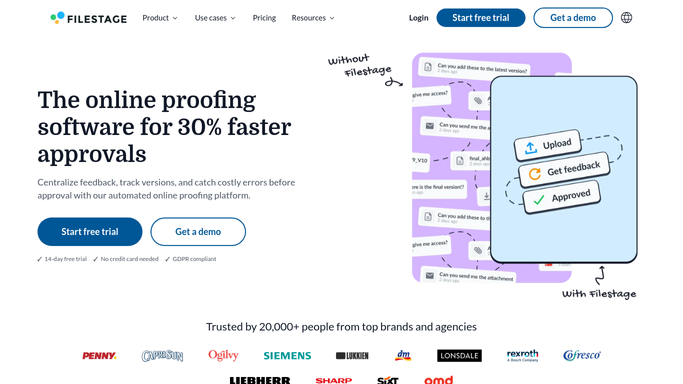
Filestage - find review rounds at risk
filestage.io

WebRun opens Filestage to find review rounds at risk. - Open Filestage and check every active review round
- Note the deadline and which reviewers have not yet responded
- Flag rounds within two days of deadline with an open decision
Done when Every active review round has been checked.
-
2
Slack - post the at risk list
slack.com How to Automate Slack
WebRun opens Slack to post the at risk list. - Post the at risk list to the studio Slack channel
- Group by project and note the deadline for each
- Include a link to the review round
Done when The at risk list is posted to Slack.
-
3
Telegram - draft a nudge to the holdout reviewer
telegram.org How to Automate Telegram
WebRun opens Telegram to draft a nudge to the holdout reviewer. - Draft a Telegram nudge naming the specific reviewer who has not responded
- Keep the tone polite, noting the approaching deadline
- Leave the message unsent for the project manager to review and send
Done when A nudge draft exists for each holdout reviewer.


How do I catch Filestage reviews before they miss their deadline?
WebRun checks Filestage every morning for review rounds within two days of deadline that still have feedback unresolved, posts the at risk list to Slack, and drafts a Telegram nudge naming the specific holdout reviewer. The nudge waits for approval, so review bottlenecks get caught before they cost a deadline.
- At risk reviews get flagged two days before deadline, not after
- The specific holdout reviewer gets named, not the whole team
- Nudges are drafted and ready, so following up takes seconds
Built for creative agencies · video production teams · marketing operations · project managers
How is each run configured?
Secure by default
Connect once, stays signed in
WebRun signs in once and keeps each session in a persistent environment, so every run picks up right where it left off.
Every action is checked against this policy before it runs.
Questions, answered
Will it message the reviewer without approval?
No. WebRun only drafts the Telegram nudge and leaves it unsent, so the project manager reviews it before a reviewer gets messaged directly.
How does it decide a round is at risk?
Any round within two days of its deadline that still has an open, unresolved decision counts as at risk and gets flagged.
Does it approve or resolve the review itself?
No. WebRun only reports on status and drafts a nudge. Approving, rejecting, or resolving feedback stays inside Filestage with your team.
Related templates
Put this on autopilot.
Turn it on in minutes - or have our team set it up for you.