Tell the people who asked when their request finally ships
Every Monday, WebRun opens Featurebase, finds the posts that moved to completed in the last week, collects the people who upvoted each one, drafts a changelog entry and a Gmail note per request for you to approve, and posts the shipped list to Slack so the team sees the loop closing.
- No credit card
- Under $0.01 per run
- Cancel anytime
How do I tell the customers who requested a feature that it has shipped?
WebRun closes your feedback loop every Monday. It finds the Featurebase posts that moved to completed, collects the people who upvoted each one, drafts a changelog entry and a Gmail note per request for you to approve, and posts the shipped list to Slack with the upvote count behind each item.
- The people who asked hear it shipped, so they keep sending feedback
- Every shipped item arrives with a drafted changelog entry
- Nothing reaches a customer until a person approves the draft
Built for product managers · SaaS teams · customer success · founders
What does WebRun do on every run?
The exact actions WebRun takes, in order - in plain language, so you can adjust anything.
-
WebRun signs in and gets to work
Opens
featurebase.appin a real browser with your saved login - no setup, no API keys. -
1
Featurebase - find what shipped this week
featurebase.app
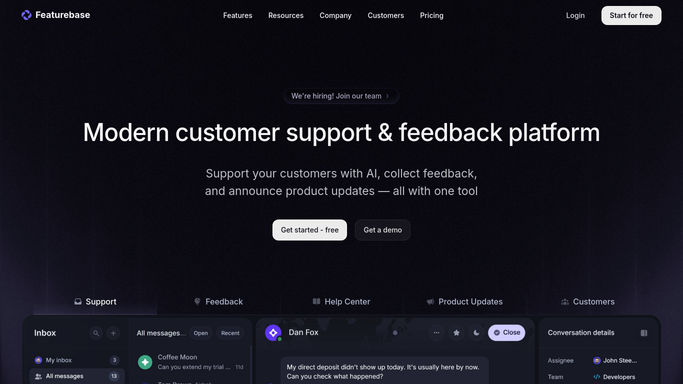
WebRun opens Featurebase to find what shipped this week. - Open Featurebase and filter posts to those whose status changed to completed in the last seven days
- Capture the post title, the board it sits on, and the upvote count
- Collect the people who upvoted or commented on each shipped post
- Draft a short changelog entry per shipped item and leave it unpublished for review
- Skip posts already announced in an earlier week
Done when Every post completed this week has its upvoters and a drafted changelog entry.
-
2
Gmail - draft the note to the people who asked
gmail.com How to Automate Gmail

WebRun opens Gmail to draft the note to the people who asked. - Draft one note per shipped request addressed to the people who asked for it
- Say what shipped, quote the original request, and link to the changelog entry
- Keep it short and thank them for the feedback that led to it
- Leave every message as a draft. Never email a customer automatically
- Skip anyone who already received a note about that request
Done when A drafted note is waiting for the upvoters behind every shipped request.
-
3
Slack - post the shipped list internally
slack.com How to Automate Slack

WebRun opens Slack to post the shipped list internally. - Post the product channel a list of what moved to completed this week
- Show the upvote count behind each item, so impact is visible
- Note how many customer notes are drafted and waiting for approval
- Flag any shipped post whose changelog entry still needs a human to finish it
Done when The team can see what shipped and what is waiting to be announced.
How is each run configured?
Secure by default
Connect once, stays signed in
WebRun signs in once and keeps each session in a persistent environment, so every run picks up right where it left off.
Every action is checked against this policy before it runs.
Questions, answered
Will it email customers or publish the changelog on its own?
No. Every customer note is left as a Gmail draft and every changelog entry stays unpublished until you approve it, so nothing public goes out without a person reading it first.
How does it know who asked for a feature?
It reads the upvoters and commenters recorded on each Featurebase post, so the note goes to the people who actually asked rather than a general announcement list.
Will the same request be announced twice?
No. Every announced post is recorded and checked on the next run, so a request that already had its note drafted is skipped even if its status changes again.
Related templates
Put this on autopilot.
Turn it on in minutes - or have our team set it up for you.