Get every new hire onboarded on day one
Every morning, WebRun opens Factorial, finds employees whose start date is within the next two weeks, checks which onboarding documents and details are still missing, creates or updates a per-hire onboarding page in Notion, and sends the hiring manager a short WhatsApp summary of what is still outstanding.
- No credit card
- Under $0.01 per run
- Cancel anytime
How do I automate employee onboarding checklists from Factorial?
WebRun opens Factorial every morning, finds employees starting in the next two weeks, and checks which onboarding documents and profile details are still missing. It builds each hire an onboarding checklist in Notion and sends your people team a WhatsApp summary, so nobody starts with paperwork half done.
- Every new starter has a checklist before day one
- Missing documents surface two weeks early, not on the first morning
- Managers get one WhatsApp summary instead of chasing HR
Built for people teams · HR managers · startups · operations leads
What does WebRun do on every run?
The exact actions WebRun takes, in order - in plain language, so you can adjust anything.
-
WebRun signs in and gets to work
Opens
app.factorialhr.comin a real browser with your saved login - no setup, no API keys. -
1
Factorial - find upcoming starters
factorialhr.com
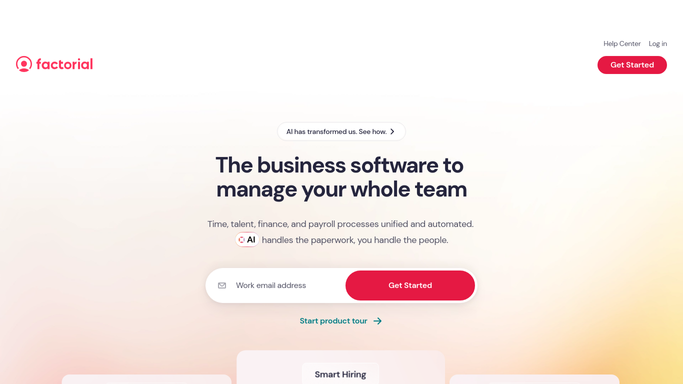
WebRun opens Factorial to find upcoming starters. - Open Factorial and go to the employee directory
- List everyone whose start date falls in the next 14 days
- Note the role, team, manager, contract type, and start date for each
- Check which onboarding documents, signatures, and profile fields are still missing
Done when Every upcoming starter is listed with their manager and their missing items.
-
2
Notion - build the onboarding checklist
notion.so How to Automate Notion

WebRun opens Notion to build the onboarding checklist. - Open the onboarding database in Notion
- Create a page for each new starter, or update the existing one
- Fill in role, team, manager, and start date from Factorial
- Tick off the onboarding tasks that Factorial already shows as complete
- Leave the outstanding tasks unchecked with an owner against each
Done when Every starter has an up to date onboarding page in Notion.
-
3
WhatsApp - nudge the hiring manager
whatsapp.com How to Automate WhatsApp

WebRun opens WhatsApp to nudge the hiring manager. - Post a short message to the people team WhatsApp group
- List each starter, their start date, and the count of items still open
- Link the Notion page for each hire
- Put anyone starting in the next three days at the top
Done when The team has today's onboarding status in WhatsApp.
How is each run configured?
Secure by default
Connect once, stays signed in
WebRun signs in once and keeps each session in a persistent environment, so every run picks up right where it left off.
Every action is checked against this policy before it runs.
Questions, answered
Will it message the new hire directly?
No. WebRun only posts an internal WhatsApp summary to your people team group. Any message to the new hire is left for a human to write and send.
Does it change anything in Factorial?
No. WebRun reads Factorial and writes only to Notion. Employee records, contracts, and documents in Factorial are left exactly as they are.
What happens if a start date moves?
The next run reads the live start date in Factorial and updates the Notion page, so a hire who was pushed back drops out of the urgent section on its own.
Related templates
Put this on autopilot.
Turn it on in minutes - or have our team set it up for you.