Automated Equals Money Payment Status Alerts
Every morning, WebRun opens Equals Money, checks the status of this week's international payments, flags any failed or pending more than 3 business days, schedules a Google Calendar follow-up for each stale one, and sends you a WhatsApp alert with the amount and destination.
How do I track pending or failed Equals Money international payments?
WebRun checks Equals Money every morning for international payments that failed or have been pending more than 3 business days, schedules a Google Calendar follow-up for each stale one, and sends you a WhatsApp alert with the amount and destination. A stuck cross-border payment gets chased instead of assumed delivered.
- Stuck payments are caught within days, not discovered by an angry supplier
- Every stale payment gets a scheduled follow-up automatically
- You see exactly what to check first thing each morning
Built for businesses paying overseas suppliers · finance teams · import and export businesses
What does WebRun do on every run?
The exact actions WebRun takes, in order - in plain language, so you can adjust anything.
-
WebRun signs in and gets to work
Opens
equalsmoney.comin a real browser with your saved login - no setup, no API keys. -
1
Equals Money - check pending and failed international payments
equalsmoney.com
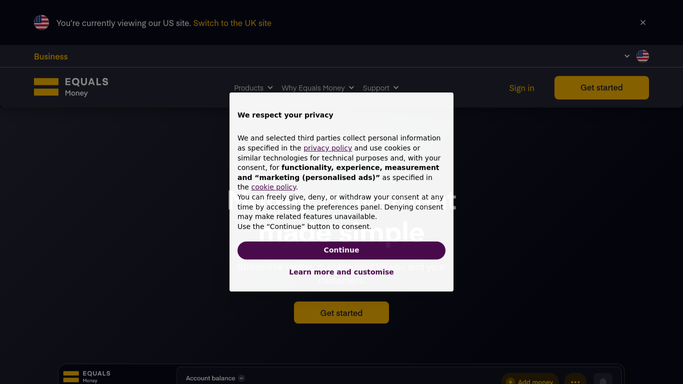
WebRun opens Equals Money to check pending and failed international payments. - Open Equals Money and list this week's international payments
- Record the status, amount, and destination currency for each
- Flag any payment pending more than 3 business days or marked failed
Done when Every payment's status is captured and stale or failed ones are flagged.
-
2
Google Calendar - schedule a follow-up for pending payments
calendar.google.com

WebRun schedules a follow-up for pending payments in Google Calendar. - Add a follow-up event for each payment still pending past 3 business days
- Note the payment reference and amount on the event
Done when Every stale pending payment has a follow-up scheduled.
-
3
WhatsApp - send the payment status alert
whatsapp.com

WebRun sends the payment status alert in WhatsApp. - Send a message listing failed or stale payments with amount and destination
- Keep the message short enough to act on immediately
Done when You have today's payment status alert in WhatsApp.
How is each run configured?
Secure by default
Connect once, stays signed in
WebRun signs in once and keeps each session in a persistent environment, so every run picks up right where it left off.
Every action is checked against this policy before it runs.
Questions, answered
How long before a pending payment gets flagged?
More than 3 business days by default. Anything past that gets a Google Calendar follow-up and a place on the WhatsApp alert.
Will WebRun resend a failed payment or move funds?
No. WebRun only reads payment status and reports on it. It never resends a payment, transfers funds, or moves money on its own. Any fix stays something you do directly in Equals Money.
What information does the WhatsApp alert include?
The amount, destination currency, and how long each failed or stale payment has been outstanding, so you know exactly what to check first.
Related templates
Put this on autopilot.
Turn it on in minutes - or have our team set it up for you.