Set up your company's Enterprise rental program in one checklist
Every morning, WebRun checks your company's Enterprise corporate account against a standard setup checklist covering preferred locations, insurance, and the approved renter list, builds a Trello card for anything missing, and posts progress to Microsoft Teams.
- No credit card
- Under $0.01 per run
- Cancel anytime
How do I track setup of a corporate Enterprise rental account?
WebRun checks your company's Enterprise corporate account every morning against a standard setup checklist, covering preferred locations, insurance, and the approved renter list. Missing items get a tracked Trello card, and Microsoft Teams gets a progress update, so setting up the rental program does not stall on a forgotten step.
- Missing setup items get caught instead of discovered at pickup
- The team sees setup progress without asking for a status update
- Every outstanding item has a tracked card until it's resolved
Built for Office managers · Fleet and travel coordinators · Operations teams · Small business owners setting up rental programs
What does WebRun do on every run?
The exact actions WebRun takes, in order - in plain language, so you can adjust anything.
-
WebRun signs in and gets to work
Opens
www.enterprise.comin a real browser with your saved login - no setup, no API keys. -
1
Enterprise Rent-A-Car - check corporate account setup
enterprise.com
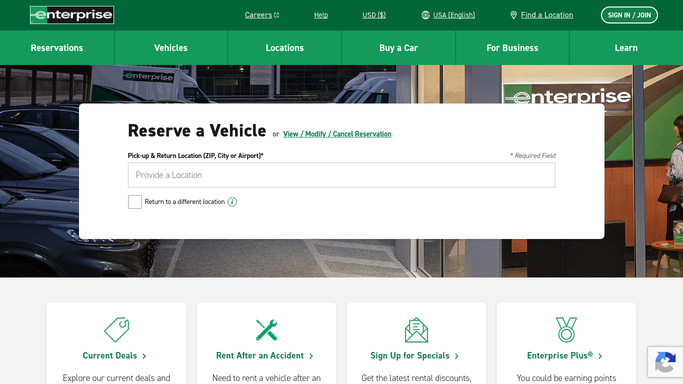
WebRun opens Enterprise Rent-A-Car to check corporate account setup. - Open the Enterprise corporate account and review its setup
- Check preferred locations, insurance details, and approved renter list
- Note anything missing or incomplete
Done when The corporate account setup has been checked against the standard list.
-
2
Trello - build the setup checklist
trello.com How to Automate Trello

WebRun opens Trello to build the setup checklist. - Add a card for each missing or incomplete setup item
- Include what's needed to complete it
- Move a card to Done once it's confirmed complete
Done when The setup board reflects every outstanding item.
-
3
Microsoft Teams - update the team on progress
microsoft.com How to Automate Microsoft Teams

WebRun opens Microsoft Teams to update the team on progress. - Post an update on setup progress to the operations channel
- Note which items closed since the last check
- Flag anything still outstanding after a week
Done when The team has today's setup progress update in Teams.
How is each run configured?
Secure by default
Connect once, stays signed in
WebRun signs in once and keeps each session in a persistent environment, so every run picks up right where it left off.
Every action is checked against this policy before it runs.
Questions, answered
Will it add insurance or payment details for us?
No. WebRun only checks what's already set up and reports gaps. Adding insurance, payment, or renter details is done by the office manager directly.
What's on the standard setup checklist?
Core items like preferred locations, insurance details, and the approved renter list. The team can add items specific to their own rental policy.
How long does setup usually take?
That depends on how much is already configured, but the checklist and Trello board make it clear exactly what's left at any point.
Related templates
Put this on autopilot.
Turn it on in minutes - or have our team set it up for you.