Automated Dropbox New File Logging
Every morning, WebRun opens Dropbox, walks the shared folders you watch for anything added or replaced since the last run, indexes each file in Airtable with its folder, size, and who uploaded it, and adds a dated line to the matching project page in Notion so the team sees what arrived.
How do I keep a log of new files added to my Dropbox folders?
WebRun checks your watched Dropbox folders every morning for files added or replaced since the last run. It indexes each one in Airtable with its folder, size, type, and uploader, then adds a dated line to the matching Notion project page, so the team always knows what arrived and where it belongs.
- Every client upload is indexed the morning it lands
- Project pages show what arrived without anyone posting it
- Folders that have gone quiet for a week are flagged for a chase
Built for agencies · accounting firms · legal teams · production studios
What does WebRun do on every run?
The exact actions WebRun takes, in order - in plain language, so you can adjust anything.
-
WebRun signs in and gets to work
Opens
www.dropbox.com/loginin a real browser with your saved login - no setup, no API keys. -
1
Dropbox - find files added since yesterday
dropbox.com
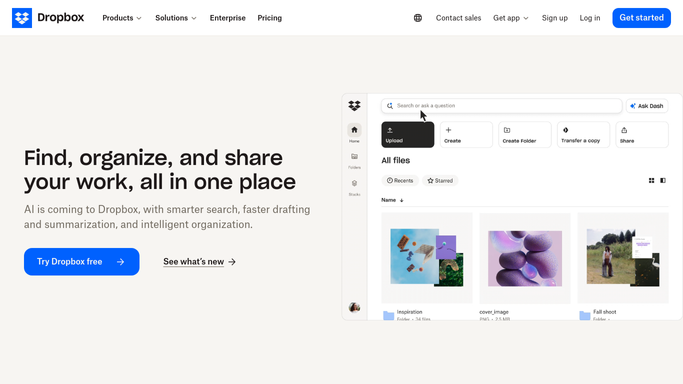
WebRun opens Dropbox to find files added since yesterday. - Open Dropbox and go to each shared folder on your watch list
- Sort by modified date and list every file added or replaced since the last run
- Capture the file name, the folder path, the size, the type, and who uploaded it
- Note any file that replaced an existing version rather than being new
Done when Every file added or replaced since the last run is listed with its folder, size, and uploader.
-
2
Airtable - index each new file
airtable.com

WebRun opens Airtable to index each new file. - Open your file index base in Airtable
- Add one row per new file with the name, folder, type, size, uploader, and date added
- Link the row to the client or project record that owns that folder
- Mark replaced files as a new version of the existing row rather than a separate entry
Done when Airtable holds an indexed row for every file that arrived since the last run.
-
3
Notion - update the project page
notion.so

WebRun opens Notion to update the project page. - Open the project page in Notion that matches each folder
- Add a dated line naming the files that arrived and who sent them
- Flag folders that received nothing for more than a week so a chase can be decided
- Never delete or overwrite what is already on the page, only append
Done when Every project page reflects the files that arrived, with a dated line.
How is each run configured?
Secure by default
Connect once, stays signed in
WebRun signs in once and keeps each session in a persistent environment, so every run picks up right where it left off.
Every action is checked against this policy before it runs.
Questions, answered
Will it move, rename, or delete anything in Dropbox?
No. WebRun only reads folder listings in Dropbox. It never moves, renames, downloads, deletes, or shares a file, and it never changes a folder permission.
Does it read the contents of my files?
No. It records the file name, folder, type, size, uploader, and date. The contents stay in Dropbox and are never copied into Airtable or Notion.
What happens when a file is replaced rather than added?
It is logged as a new version on the existing Airtable row with the date and uploader, so version history stays in one place instead of creating a duplicate entry.
Related templates
Put this on autopilot.
Turn it on in minutes - or have our team set it up for you.