Automated Dribbble Posting Cadence Nudges
Every Monday, WebRun opens Dribbble, reads when your last shot went up, counts the days since, checks which drafts and bucket ideas are ready to publish next, posts the cadence to Microsoft Teams for the studio, and nudges you on Telegram naming the next draft to put out.
How do I keep posting to Dribbble on a steady schedule?
WebRun opens Dribbble every Monday, counts the days since your last published shot, and reads which drafts and bucket ideas are ready to go up next. It posts the cadence to Microsoft Teams and nudges you on Telegram naming the next draft, while publishing stays yours.
- The profile stops going quiet for a month between projects
- Every nudge names one specific draft instead of saying post more
- A slipping rhythm is visible in the studio channel within a week
Built for freelance designers · design studios · illustrators · product designers
What does WebRun do on every run?
The exact actions WebRun takes, in order - in plain language, so you can adjust anything.
-
WebRun signs in and gets to work
Opens
dribbble.comin a real browser with your saved login - no setup, no API keys. -
1
Dribbble - check the posting rhythm
dribbble.com
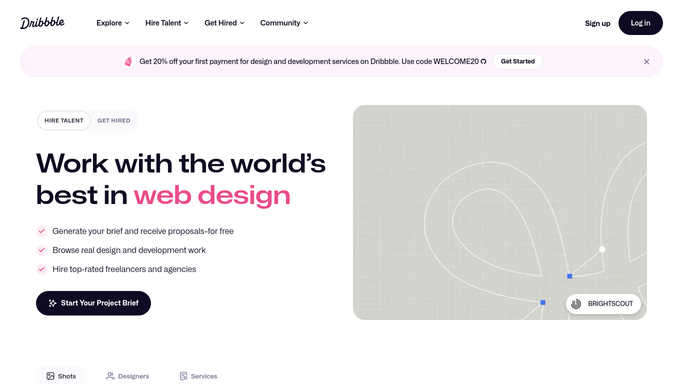
WebRun opens Dribbble to check the posting rhythm. - Open Dribbble and read the date your most recent shot was published
- Count the days since then and compare with the rhythm you set, such as one shot a week
- List the drafts sitting unpublished, and note which ones look finished enough to go up
- Check your buckets for saved work that never became a shot
- Note the follower count and how it moved, so a quiet month is visible in one number
- Publish nothing. WebRun names the next draft and leaves posting to you, because a shot is public the moment it goes up
Done when The days since your last shot and the drafts ready to publish are both known.
-
2
Microsoft Teams - post the studio cadence
microsoft.com

WebRun opens Microsoft Teams to post the studio cadence. - Post the studio channel the current cadence: days since the last shot against your target rhythm
- List the drafts that are ready and who owns each piece of work
- Show how the gap compares with the previous few weeks so a slide is obvious early
Done when The studio can see the posting rhythm and what is queued.
-
3
Telegram - nudge you with the next draft
telegram.org

WebRun opens Telegram to nudge you with the next draft. - Send a short Telegram nudge when you are past your own posting gap
- Name the single draft that is closest to ready, so the nudge is actionable rather than nagging
- Stay quiet in a week when a shot has already gone up
Done when You have a nudge naming exactly what to publish next.
How is each run configured?
Secure by default
Connect once, stays signed in
WebRun signs in once and keeps each session in a persistent environment, so every run picks up right where it left off.
Every action is checked against this policy before it runs.
Questions, answered
Will it publish a shot for me?
No. WebRun names the draft that is closest to ready and stops there. Publishing a shot is public and permanent, so you press post yourself once you are happy with the work.
Will it nudge me every single week?
No. It stays quiet in any week where a shot has already gone up. The nudge only arrives once you are past the posting gap you set, so it keeps meaning something.
Does it comment or follow on my behalf?
No. It reads your own profile, drafts, and buckets only. WebRun never comments, likes, follows, or messages anyone on Dribbble.
Related templates
Put this on autopilot.
Turn it on in minutes - or have our team set it up for you.