Never miss activating this quarter's bonus categories
Every Monday, WebRun signs in to your Discover account, reads the current quarter's Cashback Bonus categories and whether they have been activated, notes the rewards balance, records it all in a Notion tracker, and nudges you on WhatsApp while there is still a quarter left to earn.
- No credit card
- Under $0.01 per run
- Cancel anytime
How do I remember to activate my Discover cashback categories?
Every Monday, WebRun signs in to your Discover account, checks whether the current quarter's Cashback Bonus categories have been activated, and reads the rewards balance. It logs the status in Notion and nudges you on WhatsApp while the quarter is young, so bonus spend still earns the higher rate.
- A new quarter never opens unactivated for long
- Every quarter's status is on the record in Notion
- Activation stays your click, so nothing changes on the account by itself
Built for cardholders · personal finance planners · households · rewards optimizers
What does WebRun do on every run?
The exact actions WebRun takes, in order - in plain language, so you can adjust anything.
-
WebRun signs in and gets to work
Opens
portal.discover.comin a real browser with your saved login - no setup, no API keys. -
1
Discover - check activation status
discover.com
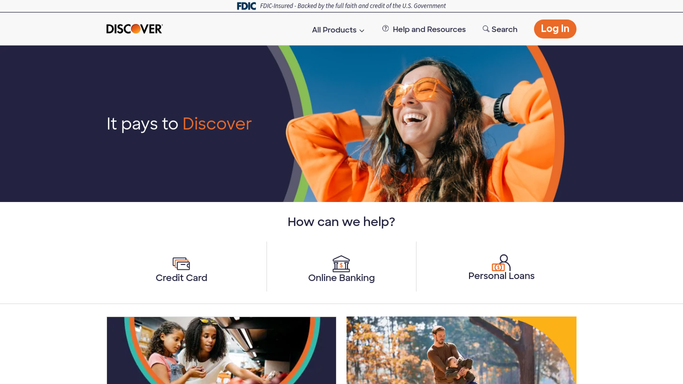
WebRun opens Discover to check activation status. - Sign in to your Discover card account
- Open the Cashback Bonus section and read the categories set for the current quarter
- Record whether activation for this quarter is already done or still outstanding
- Note the current rewards balance and the statement period
- Click nothing that changes the account. WebRun reads the status, you activate
Done when This quarter's categories and activation status are recorded.
-
2
Notion - track the quarter
notion.so How to Automate Notion

WebRun opens Notion to track the quarter. - Update the rewards tracker page with this quarter's categories and activation status
- Log the rewards balance and the date checked
- Keep one row per quarter, so a quarter that was never activated is obvious later
- Mark the quarter closed once activation is confirmed
Done when The tracker shows this quarter's status and the history behind it.
-
3
WhatsApp - nudge you while it still counts
whatsapp.com How to Automate WhatsApp

WebRun opens WhatsApp to nudge you while it still counts. - Message you when the quarter's categories are still unactivated
- Name the categories and how many weeks of the quarter are left
- Link to the Discover page so activating is one click for you
- Stay quiet once activation is confirmed for the quarter
Done when You know whether anything needs activating, without opening the app.
How is each run configured?
Secure by default
Connect once, stays signed in
WebRun signs in once and keeps each session in a persistent environment, so every run picks up right where it left off.
Every action is checked against this policy before it runs.
Questions, answered
Will it activate the categories for me?
No. WebRun reads the activation status and tells you. Pressing activate stays your click, because it changes your card account.
Does it see my card number or statements?
It reads the rewards section only and never records a card number, a payment method or transaction detail in the Notion tracker.
What happens once I have activated?
The WhatsApp nudges stop for that quarter. WebRun keeps checking weekly and starts again only when a new quarter opens unactivated.
Related templates
Put this on autopilot.
Turn it on in minutes - or have our team set it up for you.