Automated DHL Proof of Delivery Logging
Every morning, WebRun opens DHL, tracks the shipments you are watching, picks out the ones marked delivered since the last run, captures the delivery time, the recipient, and the proof of delivery detail, files each against its order on a Trello card, and posts the day's delivered list to your WhatsApp team group.
How do I automatically collect proof of delivery for shipments?
WebRun checks DHL every morning for shipments delivered yesterday, capturing the tracking number, the delivery time, the recipient, and the proof of delivery detail. It files each one on a Trello card against the order and posts the day's delivered list to your WhatsApp team group.
- Proof of delivery is filed against the order the day it lands
- A dispute is answered from a card instead of a carrier search
- Deliveries to an unexpected address are flagged the next morning
Built for ecommerce operations · wholesalers · claims teams · logistics coordinators
What does WebRun do on every run?
The exact actions WebRun takes, in order - in plain language, so you can adjust anything.
-
WebRun signs in and gets to work
Opens
www.dhl.comin a real browser with your saved login - no setup, no API keys. -
1
DHL - capture proof of delivery
dhl.com
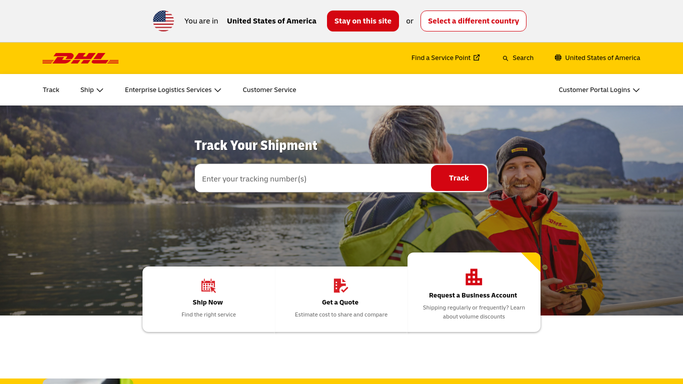
WebRun opens DHL to capture proof of delivery. - Open DHL and track each shipment on your open list by its tracking number
- Pick out the shipments whose status changed to delivered since the last run
- Capture the delivery date and time, the receiving location, and the recipient name or signature detail shown on the proof of delivery
- Note anything unusual, such as a delivery to a neighbour, a locker, or a different address than the one booked
Done when Every shipment delivered yesterday has its proof detail captured.
-
2
Trello - file it against the order
trello.com

WebRun opens Trello to file it against the order. - Find the Trello card for the order that shipment belongs to, matching on the tracking number
- Add the delivery date, time, recipient, and proof detail to the card as a comment
- Move the card to the delivered list so open orders and closed ones stay separate
- Create a card in an unmatched list when a tracking number has no order, rather than dropping it
Done when Every delivered shipment has its proof filed on the right order card.
-
3
WhatsApp - post the day's deliveries
whatsapp.com

WebRun opens WhatsApp to post the day's deliveries. - Post the day's delivered shipments to your internal team group
- Give each line the order, the tracking number, the delivery time, and who signed
- Call out anything delivered to an unexpected place so it can be checked today
- Post to your own team group only. WebRun never messages a customer or a recipient
Done when The team has this morning's delivered list in WhatsApp.
How is each run configured?
Secure by default
Connect once, stays signed in
WebRun signs in once and keeps each session in a persistent environment, so every run picks up right where it left off.
Every action is checked against this policy before it runs.
Questions, answered
Will it message customers about their delivery?
No. WebRun posts only to your internal WhatsApp team group and writes to your own Trello board. It never messages a recipient, a customer, or DHL, so nothing leaves the company.
What if a tracking number has no matching order?
It creates a card in an unmatched list with the full proof detail rather than dropping the record, so the delivery is still filed and someone can attach it to the right order.
Can it open a claim with DHL?
No. It captures the proof of delivery so you have it when a dispute comes up. Filing a claim or a query with the carrier stays a human action, because it is a formal submission.
Related templates
Put this on autopilot.
Turn it on in minutes - or have our team set it up for you.