Get a weekly read on your target account engagement
Every Friday, WebRun opens Demandbase, reviews engagement across your target account list including intent signals, ad engagement, and pipeline stage, checks that next week's ABM review already has a slot on Google Calendar and books one if it does not, then posts the full scorecard to Microsoft Teams so the team walks in already knowing which accounts moved.
- No credit card
- Under $0.01 per run
- Cancel anytime
How do I get a weekly target account engagement scorecard from Demandbase?
Every Friday, WebRun opens Demandbase and reviews engagement across your target account list, grouping accounts into rising, steady, and cooling based on intent signals and pipeline stage. It confirms next week's ABM review has a slot on Google Calendar and posts the full scorecard to Microsoft Teams, so the team starts the week already knowing which accounts are heating up.
- The team sees which accounts are heating up every Friday
- Cooling accounts get flagged before they go quiet entirely
- The ABM review always has a confirmed slot with data ready
Built for ABM teams · enterprise marketing · sales and marketing alignment · revenue operations
What does WebRun do on every run?
The exact actions WebRun takes, in order - in plain language, so you can adjust anything.
-
WebRun signs in and gets to work
Opens
demandbase.comin a real browser with your saved login - no setup, no API keys. -
1
Demandbase - review target account engagement
demandbase.com
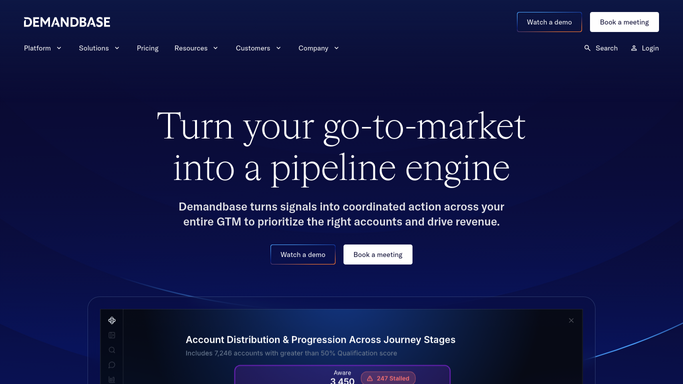
WebRun opens Demandbase to review target account engagement. - Open Demandbase and review this week's target account activity
- Note engagement, intent signal changes, and pipeline stage for each account
- Group accounts into rising, steady, and cooling engagement
Done when Every target account's engagement this week has been reviewed and grouped.
-
2
Google Calendar - confirm the weekly ABM review slot
calendar.google.com How to Automate Google Calendar

WebRun opens Google Calendar to confirm the weekly ABM review slot. - Check whether next week's ABM review already has a slot
- Book one at the usual time if it is missing
- Attach the scorecard summary to the event description once ready
Done when Next week's ABM review has a confirmed slot on the calendar.
-
3
Microsoft Teams - post the scorecard
microsoft.com How to Automate Microsoft Teams

WebRun opens Microsoft Teams to post the scorecard. - Post the scorecard with accounts grouped by engagement trend
- Highlight accounts that moved from cooling to rising
- Note the date and time of next week's review
Done when The team has this week's account engagement scorecard in Microsoft Teams.
How is each run configured?
Secure by default
Connect once, stays signed in
WebRun signs in once and keeps each session in a persistent environment, so every run picks up right where it left off.
Every action is checked against this policy before it runs.
Questions, answered
Does it change any account data in Demandbase?
No. WebRun only reads engagement, intent, and pipeline data to build the scorecard. It never edits an account or a signal in Demandbase.
What counts as rising versus cooling engagement?
It compares this week's engagement and intent signals against last week's for the same account, so the direction reflects a real change, not a single snapshot.
What if the ABM review slot is already booked?
WebRun checks Google Calendar first and only books a new slot when one is missing, so it will never create a duplicate meeting.
Related templates
Put this on autopilot.
Turn it on in minutes - or have our team set it up for you.