Flag Dayforce timecard exceptions daily
Every morning, WebRun opens Dayforce, finds missed punches and unapproved overtime from the day before, creates a Trello card for each exception assigned to the shift manager, and sends a WhatsApp alert to the manager ops group so nothing sits unresolved before payroll locks.
- No credit card
- Under $0.01 per run
- Cancel anytime
What does WebRun do on every run?
The exact actions WebRun takes, in order - in plain language, so you can adjust anything.
-
WebRun signs in and gets to work
Opens
dayforce.comin a real browser with your saved login - no setup, no API keys. -
1
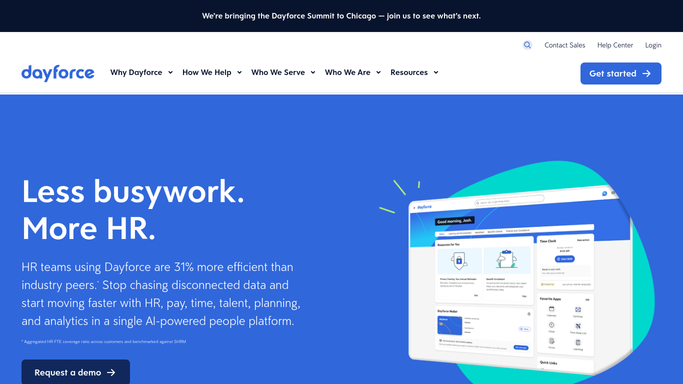
Dayforce - find timecard exceptions
dayforce.com

WebRun opens Dayforce to find timecard exceptions. - Open Dayforce and review yesterday's punches
- List missed punches, late clock ins, and unapproved overtime
- Note the employee, shift, and manager for each
Done when Every timecard exception from yesterday is listed with its owner.
-
2
Trello - create a card per exception
trello.com How to Automate Trello
WebRun opens Trello to create a card per exception. - Create a card on the Timecard Exceptions board for each item
- Assign the card to the shift manager and tag the shift date
Done when Every exception has an open Trello card assigned to a manager.
-
3
WhatsApp - alert the shift manager
whatsapp.com How to Automate WhatsApp
WebRun opens WhatsApp to alert the shift manager. - Post a short alert to the shift managers' ops group with the day's exception count
- Link back to the Trello board for detail
Done when Shift managers know today's exception count before their shift starts.


How do I catch Dayforce timecard exceptions before payroll runs?
WebRun scans Dayforce every morning for missed punches and unapproved overtime from the day before, opens a Trello card per exception assigned to the shift manager, and posts a WhatsApp alert to the manager ops group with the day's count. Exceptions get resolved before payroll locks instead of surfacing during the pay run.
- Timecard exceptions get caught the morning after, not at payroll close
- Every exception has an owner and a Trello card until resolved
- Shift managers start the day already knowing what needs fixing
Built for Shift managers · workforce management · restaurant and retail ops · HR operations
How is each run configured?
Secure by default
Connect once, stays signed in
WebRun signs in once and keeps each session in a persistent environment, so every run picks up right where it left off.
Every action is checked against this policy before it runs.
Questions, answered
Does it change or approve timecards itself?
No. It only flags exceptions and creates a Trello card. Approving hours or overtime always stays a manual step inside Dayforce for the shift manager.
Who sees the WhatsApp alert?
Only your shift managers' internal ops group. WebRun never messages the employee whose timecard has the exception.
What happens to resolved exceptions?
Once a punch is corrected or overtime approved in Dayforce, the next morning's scan skips it and the Trello card can be archived.
Related templates
Put this on autopilot.
Turn it on in minutes - or have our team set it up for you.