Chase the paperwork every new joiner still owes
Every morning, WebRun opens Darwinbox, looks at everyone who joined or is due to join in the next month, checks which onboarding documents and profile fields are still missing for each, updates a per joiner checklist in your Google Drive onboarding folder, and sends HR a WhatsApp list of who is holding up what.
- No credit card
- Under $0.01 per run
- Cancel anytime
What does WebRun do on every run?
The exact actions WebRun takes, in order - in plain language, so you can adjust anything.
-
WebRun signs in and gets to work
Opens
darwinbox.comin a real browser with your saved login - no setup, no API keys. -
1
Darwinbox - check each joiner's onboarding status
darwinbox.com

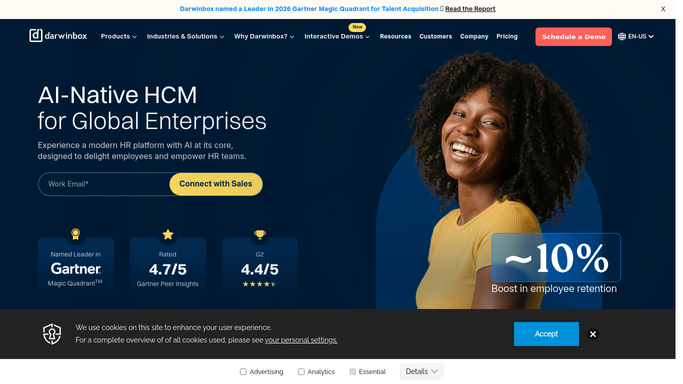
WebRun opens Darwinbox to check each joiner's onboarding status. - Sign in to Darwinbox and list employees who joined recently or are due to join within a month
- For each joiner, check which onboarding tasks and document requests are still open
- Note missing profile essentials such as bank details, tax declarations, and emergency contacts
- Record the joining date and how many days remain before day one
- Set aside joiners whose onboarding is fully complete
Done when Every current and upcoming joiner has a list of what is still outstanding.
-
2
Google Drive - update the per joiner checklist
drive.google.com How to Automate Google Drive
WebRun opens Google Drive to update the per joiner checklist. - Open the onboarding folder in Google Drive
- Create or update a checklist document for each joiner, named by joiner and start date
- Tick the items now complete and list what is still outstanding with the days remaining
- Keep the checklist text only. Never copy an employee's personal documents into the folder
Done when Every joiner has a current checklist document in the onboarding folder.
-
3
WhatsApp - send HR the outstanding gaps
whatsapp.com How to Automate WhatsApp
WebRun opens WhatsApp to send HR the outstanding gaps. - Send the HR group a short WhatsApp list of joiners with outstanding items
- Put anyone starting within seven days at the top
- Name the missing item type rather than any personal detail
- Skip the message on days when every joiner is complete
Done when HR knows which joiners are behind and how close their start date is.


How do I track which onboarding documents a new hire still owes?
WebRun opens Darwinbox every morning and checks which onboarding documents and profile fields each new joiner still owes. It updates a text checklist per joiner in your Google Drive onboarding folder and sends HR a WhatsApp list ordered by start date, so paperwork is chased before day one, not after.
- Missing paperwork is chased before the start date, not after
- Every joiner has a current checklist HR can open in seconds
- Personal documents never leave the HR system
Built for HR teams · people operations · talent acquisition · shared services
How is each run configured?
Secure by default
Connect once, stays signed in
WebRun signs in once and keeps each session in a persistent environment, so every run picks up right where it left off.
Every action is checked against this policy before it runs.
Questions, answered
Will it email or message the new joiner?
No. WebRun reports gaps to your internal HR group only. Any reminder aimed at the joiner is drafted and left for an HR person to review and send, so the first contact still comes from a human.
Does it copy employee documents out of Darwinbox?
No. It reads which document requests are still open and writes a text checklist. Identity documents, bank details, and tax records stay inside Darwinbox behind your existing access controls.
Can it approve or complete an onboarding task?
No. It never marks a task complete, never approves a document, and never edits an employee record. Completing onboarding steps stays with HR and the joiner.
Related templates
Put this on autopilot.
Turn it on in minutes - or have our team set it up for you.