Catch the new customers falling behind on onboarding
Every morning, WebRun opens Custify, finds the accounts still in the onboarding lifecycle stage, reads the open playbook tasks, the days since they started, and the health score for each, posts the accounts running behind to Microsoft Teams, and pings Telegram about the worst of them.
- No credit card
- Under $0.01 per run
- Cancel anytime
How do I spot new customers who are falling behind on onboarding?
Every morning WebRun opens Custify, finds the accounts still sitting in the onboarding stage, reads the open playbook tasks and health score for each, then posts the accounts running behind to Microsoft Teams and pings Telegram about the worst, so a stalled launch gets a nudge before it becomes churn.
- Stalled onboardings are named daily instead of found at renewal
- Each CSM gets one at-risk account to rescue, not a wall of data
- Accounts that finished onboarding are visible as wins
Built for customer success managers · SaaS onboarding teams · account managers · CS operations
What does WebRun do on every run?
The exact actions WebRun takes, in order - in plain language, so you can adjust anything.
-
WebRun signs in and gets to work
Opens
custify.comin a real browser with your saved login - no setup, no API keys. -
1
Custify - find accounts stuck in onboarding
custify.com
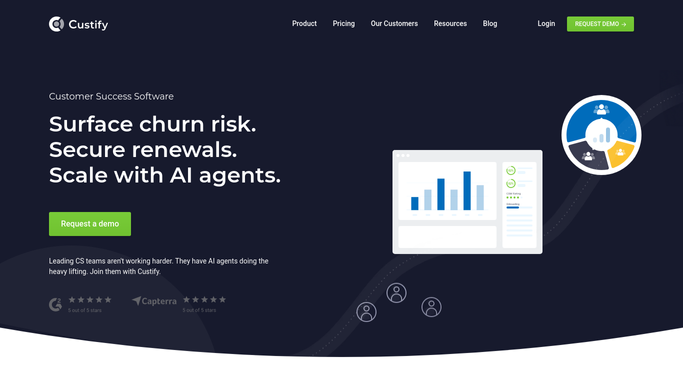
WebRun opens Custify to find accounts stuck in onboarding. - Open Custify and filter accounts to the onboarding lifecycle stage
- Read the open playbook tasks on each account and how many are overdue
- Note the days since the account started onboarding and its current health score
- Rank accounts by days behind, putting the ones past your target window first
Done when Every account still in onboarding has its overdue tasks, age, and health score captured.
-
2
Microsoft Teams - post the behind list
microsoft.com How to Automate Microsoft Teams

WebRun opens Microsoft Teams to post the behind list. - Post the behind list to your customer success channel in Microsoft Teams
- Show the account, its owner, days in onboarding, and the next outstanding step
- Put the accounts furthest past the target window at the top
- Note which accounts finished onboarding since yesterday so wins are visible too
Done when The customer success channel has today's behind list ordered by how late each account is.
-
3
Telegram - ping the CSM about the worst
telegram.org How to Automate Telegram

WebRun opens Telegram to ping the CSM about the worst. - Send the owning CSM a short Telegram message about their most at-risk account
- Include the account name, days behind, and the single step blocking the launch
- Stay quiet on the days when nothing crosses your risk threshold
Done when The CSM knows which onboarding to rescue today.
How is each run configured?
Secure by default
Connect once, stays signed in
WebRun signs in once and keeps each session in a persistent environment, so every run picks up right where it left off.
Every action is checked against this policy before it runs.
Questions, answered
Will it email the customer about their stalled onboarding?
No. WebRun only posts internally to Microsoft Teams and Telegram. If you want the customer nudged, it drafts the note and leaves it for the CSM to send.
Does it change anything in Custify?
No. WebRun reads lifecycle stage, tasks, and health score and writes nothing back, so playbooks and account records stay exactly as your team left them.
When does an account count as behind?
You set the target window, commonly 14 or 30 days to finish onboarding. WebRun measures each account against it and only lists the ones past it with steps still open.
Related templates
Put this on autopilot.
Turn it on in minutes - or have our team set it up for you.