Hand off tricky Crisp chats without losing context
Every few minutes, WebRun checks Crisp for conversations flagged for handoff, logs each one to an Airtable tracker with the customer's issue, and drafts a follow-up email in Gmail summarizing the context, left unsent for the assigned rep to review and send.
- No credit card
- Under $0.01 per run
- Cancel anytime
How do I hand off a Crisp live chat to a human without losing context?
WebRun checks Crisp every 15 minutes for conversations flagged for a human, logs each one to an Airtable tracker with the customer's issue, and drafts a follow-up email in Gmail summarizing the context. The draft stays unsent until the assigned rep reviews and sends it, so handoffs move fast without any customer email going out unapproved.
- Every handoff is logged and tracked instead of living only in the chat window
- Reps open a ready follow-up draft instead of starting from a blank email
- No customer email goes out without a human reviewing it first
Built for small business support teams · ecommerce customer service · SaaS support · website live chat teams
What does WebRun do on every run?
The exact actions WebRun takes, in order - in plain language, so you can adjust anything.
-
WebRun signs in and gets to work
Opens
app.crisp.chatin a real browser with your saved login - no setup, no API keys. -
1
Crisp - find chats flagged for handoff
crisp.chat
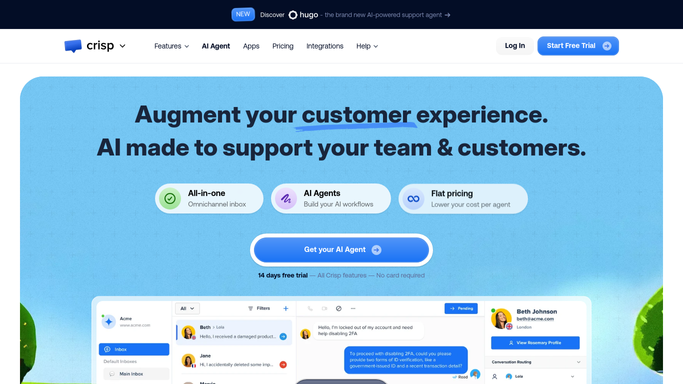
WebRun opens Crisp to find chats flagged for handoff. - Open Crisp and check conversations tagged or requested for a human
- Capture the customer's email, issue summary, and conversation link
- Skip anything already logged in a previous run
Done when Every new handoff conversation is listed with its context.
-
2
Airtable - log the handoff
airtable.com How to Automate Airtable

WebRun opens Airtable to log the handoff. - Open the handoff tracker base in Airtable
- Add a record for each conversation with the customer, issue, and Crisp link
- Set its status to awaiting follow-up
Done when Every new handoff has a tracked record in Airtable.
-
3
Gmail - draft the follow-up
gmail.com How to Automate Gmail

WebRun opens Gmail to draft the follow-up. - Draft a follow-up email to the customer summarizing their issue and next steps
- Save it as a Gmail draft addressed to the customer, matching your support tone
- Leave every draft unsent for the assigned rep to review and send
Done when A ready draft exists in Gmail for every new handoff, none of them sent.
How is each run configured?
Secure by default
Connect once, stays signed in
WebRun signs in once and keeps each session in a persistent environment, so every run picks up right where it left off.
Every action is checked against this policy before it runs.
Questions, answered
Will WebRun send the follow-up email to the customer?
No. It only saves a draft in Gmail. A human rep always reviews and sends it, so nothing reaches a customer without your approval.
How does it decide which Crisp chats need a handoff?
It reads conversations in Crisp tagged or explicitly requested for a human, so only chats that actually need a person get logged and drafted.
Where can the team see what's waiting on follow-up?
Every handoff gets a record in Airtable with the customer, issue, and a link back to the Crisp conversation, so nothing sits untracked.
Related templates
Put this on autopilot.
Turn it on in minutes - or have our team set it up for you.