Turn AI coaching flags into a weekly agent scorecard
Every Monday, WebRun opens Cresta, pulls each agent's real-time coaching flags from the past week, builds a per-agent scorecard in Google Sheets, and checks Gmail read-only for any customer complaint email tied to a flagged call, adding that context for the team manager.
- No credit card
- Under $0.01 per run
- Cancel anytime
How do I get a weekly coaching scorecard from Cresta's real-time flags?
WebRun compiles each agent's Cresta coaching flags every Monday into a Google Sheets scorecard and checks Gmail read-only for any customer complaint tied to a flagged call. Team managers get a consistent weekly view of coaching needs with real context attached, instead of reviewing flagged calls one at a time.
- Managers get a consistent weekly coaching scorecard without reviewing every flagged call
- Flags tied to a real customer complaint are surfaced with that context
- Coaching priorities are visible in one sheet instead of scattered across calls
Built for contact center managers · quality assurance teams · team leads · conversation intelligence teams
What does WebRun do on every run?
The exact actions WebRun takes, in order - in plain language, so you can adjust anything.
-
WebRun signs in and gets to work
Opens
cresta.comin a real browser with your saved login - no setup, no API keys. -
1
Cresta - pull last week's coaching flags
cresta.com
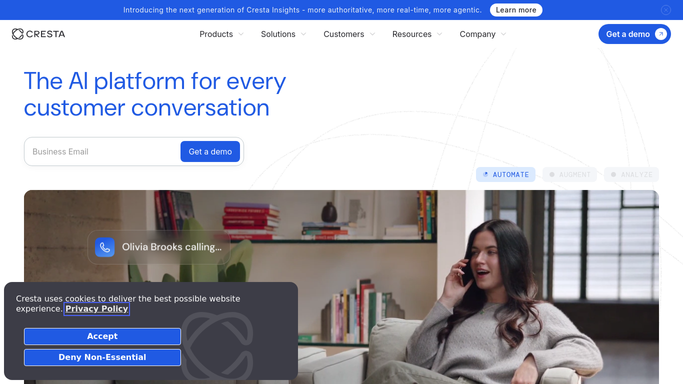
WebRun opens Cresta to pull last week's coaching flags. - Open Cresta and pull each agent's coaching flags from the past 7 days
- Capture the flag type, like a compliance miss or a missed upsell cue
- Count flags per agent and note the related call for each
Done when Every agent's weekly coaching flags are captured with their call references.
-
2
Google Sheets - build the scorecard
google.com How to Automate Google Sheets

WebRun opens Google Sheets to build the scorecard. - Open the coaching scorecard in Google Sheets
- Add this week's flag counts and types per agent
- Sort so agents with the most flags sit at the top
Done when This week's scorecard is built with every agent's flag counts.
-
3
Gmail - check for related complaint emails
gmail.com How to Automate Gmail

WebRun opens Gmail to check for related complaint emails. - Search Gmail for any customer complaint email tied to a flagged call's account
- Note the match against the relevant scorecard row
- This is a read-only check. No email is sent or drafted
Done when Every flagged call has been checked for a related complaint email.
How is each run configured?
Secure by default
Connect once, stays signed in
WebRun signs in once and keeps each session in a persistent environment, so every run picks up right where it left off.
Every action is checked against this policy before it runs.
Questions, answered
Does WebRun deliver the coaching feedback to agents?
No. It only builds the scorecard for the team manager. Any actual coaching conversation with an agent is still led by the manager.
Does it read private customer emails?
It only checks Gmail read-only for whether a complaint thread exists tied to a flagged call's account, purely to add context. No email is sent.
What kind of coaching flags does it use?
Whatever Cresta's real-time coaching already flags in your calls, like compliance misses or missed upsell cues. WebRun reads these, it does not invent new criteria.
Related templates
Put this on autopilot.
Turn it on in minutes - or have our team set it up for you.