Track your students' Codeforces rating after every contest
After every weekly Codeforces contest, WebRun opens each student's profile, checks their rating change and new rank, updates a Trello leaderboard card with the current standings, and drafts a WhatsApp recap for the coach to review and send to the team group chat.
- No credit card
- Under $0.01 per run
- Cancel anytime
How do I track my students' Codeforces ratings after each contest?
WebRun checks each student's Codeforces rating change after every weekly contest, updates a Trello leaderboard card with the current standings, and drafts a WhatsApp recap naming top performers for the coach to review and send, so contest results turn into team momentum without manual tracking.
- Rating changes are tracked automatically after every contest
- Students needing extra practice get flagged the same week
- No team recap goes out without the coach's review
Built for competitive programming coaches · high school and university coding clubs · algorithms course instructors · coding contest teams
What does WebRun do on every run?
The exact actions WebRun takes, in order - in plain language, so you can adjust anything.
-
WebRun signs in and gets to work
Opens
codeforces.comin a real browser with your saved login - no setup, no API keys. -
1
Codeforces - check rating changes
codeforces.com
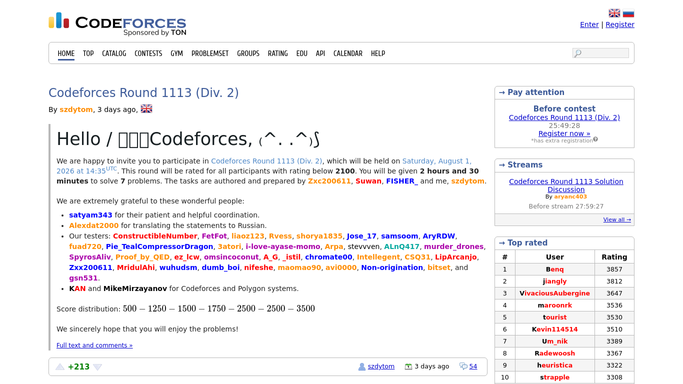
WebRun opens Codeforces to check rating changes. - Open each student's profile after the contest is rated
- Note the rating change and new rank
- Flag anyone with their largest rating drop of the season
Done when Every student's rating change from the contest is captured.
-
2
Trello - update the leaderboard
trello.com How to Automate Trello

WebRun opens Trello to update the leaderboard. - Update the leaderboard card with the new ratings
- Move the top 3 students to the pinned section
- Note anyone who needs extra practice before the next contest
Done when The Trello leaderboard reflects the contest's results.
-
3
WhatsApp - draft a team recap
whatsapp.com How to Automate WhatsApp

WebRun opens WhatsApp to draft a team recap. - Draft a recap naming the top performers and rating changes
- Note who might benefit from extra practice this week
- Leave the draft unsent for the coach to review and send to the team
Done when A reviewable contest recap is ready for the coach.
How is each run configured?
Secure by default
Connect once, stays signed in
WebRun signs in once and keeps each session in a persistent environment, so every run picks up right where it left off.
Every action is checked against this policy before it runs.
Questions, answered
Will it message the team group without the coach?
No. The recap is always drafted and left unsent. WebRun never sends a WhatsApp message on its own, the coach approves and sends it.
Does it register students for contests?
No. It only reads public rating results after a contest is rated. Registering for Codeforces contests is always done by each student.
What if a contest hasn't been rated yet?
It waits until Codeforces finalizes the rating change before updating the leaderboard, so the standings always reflect official results.
Related templates
Put this on autopilot.
Turn it on in minutes - or have our team set it up for you.