Get finished videos to the client without chasing anyone
Every afternoon, WebRun opens Clipchamp, checks which projects have finished exporting since the last run, updates each one's row in your Airtable delivery tracker with the export date and resolution, and drafts a client handover email in Gmail with the video details, leaving it in Drafts for you to review and send.
- No credit card
- Under $0.01 per run
- Cancel anytime
How do I track finished video exports and get them to clients?
WebRun checks Clipchamp each afternoon for projects that finished exporting, capturing the resolution, duration, and completion time. It updates your Airtable delivery tracker and drafts a client handover email in Gmail with the details filled in, leaving it in Drafts so you review and send every delivery yourself.
- Finished videos reach the client the same day they export
- The tracker is accurate without an editor updating it by hand
- Failed exports are caught and queued for a re-run, not delivered
Built for video editors · content studios · marketing teams · freelance creatives
What does WebRun do on every run?
The exact actions WebRun takes, in order - in plain language, so you can adjust anything.
-
WebRun signs in and gets to work
Opens
app.clipchamp.com/loginin a real browser with your saved login - no setup, no API keys. -
1
Clipchamp - check finished exports
clipchamp.com
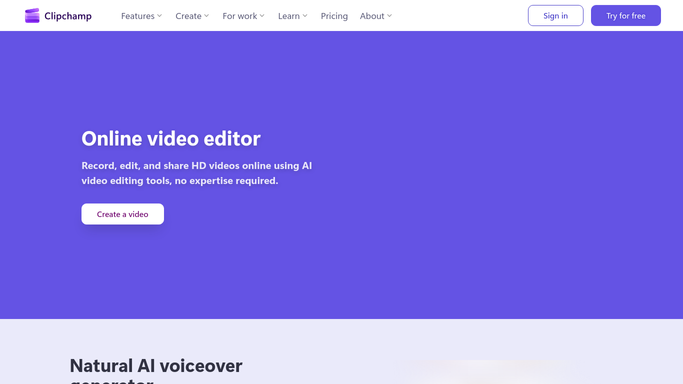
WebRun opens Clipchamp to check finished exports. - Open Clipchamp and review your project list
- Identify projects whose export completed since the last run
- Capture the project name, export resolution, duration, and completion time
- Note any export that failed or is still processing
Done when Every newly finished export is identified with its details.
-
2
Airtable - update the delivery tracker
airtable.com How to Automate Airtable

WebRun opens Airtable to update the delivery tracker. - Open your video delivery tracker in Airtable
- Move each finished project's row to Ready to deliver
- Fill in the export date, resolution, and duration
- Flag failed exports in a separate view so an editor can re-run them
Done when The Airtable tracker reflects every finished and failed export.
-
3
Gmail - draft the client handover
gmail.com How to Automate Gmail

WebRun opens Gmail to draft the client handover. - Draft a handover email in Gmail for each client with a finished video
- Include the project name, duration, resolution, and what feedback you need
- Leave every email in Drafts. WebRun never emails a client on its own
- Group several finished videos for the same client into one draft
Done when A handover draft is waiting in Gmail for every client with finished work.
How is each run configured?
Secure by default
Connect once, stays signed in
WebRun signs in once and keeps each session in a persistent environment, so every run picks up right where it left off.
Every action is checked against this policy before it runs.
Questions, answered
Will it email clients without me?
No. Every handover email is left as a Gmail draft. WebRun writes the message with the project details filled in and stops, so a client only hears from you when you press send.
Does it attach or upload the video file?
No. File uploads are blocked by the Strict Lockdown policy. The draft describes the finished video and you attach or link the file yourself when you send it.
What happens when an export fails?
The project is flagged in a separate Airtable view marked for a re-run instead of being marked delivered, so a failed export never gets sent to a client as finished work.
Related templates
Put this on autopilot.
Turn it on in minutes - or have our team set it up for you.