Automated Citi Card Payment Due Reminders
Every morning, WebRun signs in to Citi, reads each card account's statement balance, minimum payment, and due date, checks whether autopay is set and whether a payment already posted, sends you the countdown on WhatsApp, and texts you through Twilio when a due date is within three days.
How do I get reminded before a credit card payment is due?
WebRun signs in to Citi every morning and reads each card's statement balance, minimum payment, and due date, along with whether autopay is set. It sends you a countdown on WhatsApp and texts you through Twilio when a date is within three days and autopay will not cover it.
- Every due date arrives with a countdown, not a surprise
- Cards autopay already covers stay quiet so alerts mean something
- WebRun never moves money: it reads and reports only
Built for cardholders · household finance managers · small business owners · freelancers
What does WebRun do on every run?
The exact actions WebRun takes, in order - in plain language, so you can adjust anything.
-
WebRun signs in and gets to work
Opens
online.citi.comin a real browser with your saved login - no setup, no API keys. -
1
Citi - read due dates and balances
citi.com
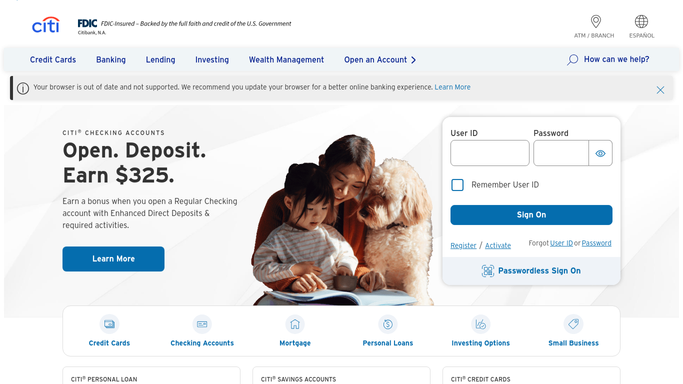
WebRun opens Citi to read due dates and balances. - Sign in to Citi and open each card account you track
- Read the statement balance, the minimum payment, and the payment due date
- Check whether autopay is switched on and what amount it is set to pay
- Look at recent payments to see whether this cycle is already covered
- Count the days remaining until each due date
Done when Every card has its amount due, due date, and autopay status captured.
-
2
WhatsApp - send the daily countdown
whatsapp.com

WebRun opens WhatsApp to send the daily countdown. - Send yourself a short WhatsApp message with one line per card
- Give the days remaining, the minimum payment, and the statement balance
- Say plainly whether autopay will cover it or whether you need to pay manually
- Send to your own saved number only, never to a group
Done when You have today's countdown for every card.
-
3
Twilio - text you when a date is close
twilio.com

WebRun opens Twilio to text you when a date is close. - Send an SMS through Twilio when a due date is three days out or closer and autopay is not covering it
- Name the card, the amount, and the exact due date in the message
- Stay quiet on cards where autopay already covers the full balance
Done when Any payment needing manual action has reached you by text.
How is each run configured?
Secure by default
Connect once, stays signed in
WebRun signs in once and keeps each session in a persistent environment, so every run picks up right where it left off.
Every action is checked against this policy before it runs.
Questions, answered
Will it make a payment for me?
No. WebRun never moves money, schedules a payment, or changes an autopay setting. It reads your account and tells you what is due so you can pay it yourself.
Where do the alerts go?
Only to your own saved number. The WhatsApp message and the Twilio text both go to you, and no account detail is posted to any shared channel or group.
What if autopay already covers the balance?
The card still shows in the daily countdown marked as covered, but no text is sent for it, so alerts stay reserved for payments that actually need you.
Related templates
Put this on autopilot.
Turn it on in minutes - or have our team set it up for you.