Chase down conversations before they breach SLA
Every hour, WebRun opens Chatwoot, finds conversations that have gone unanswered past your response-time target, posts the full list to your support Slack channel, and pings the on-call agent on Telegram if the oldest one is close to breaching SLA.
- No credit card
- Under $0.01 per run
- Cancel anytime
How do I make sure overdue Chatwoot conversations get answered before they breach SLA?
WebRun checks Chatwoot every hour for conversations that have gone unanswered past your response-time target, posts the full chase list to Slack, and pings the on-call agent directly on Telegram when the oldest one is close to breaching SLA. This keeps overdue conversations visible and prioritized without anyone needing to scroll the inbox manually.
- Overdue conversations get surfaced every hour instead of at end of shift
- The oldest, highest-risk conversation gets a direct on-call ping
- Agents keep full control of every reply that reaches a customer
Built for support team leads · customer service managers · startup support teams · omnichannel support teams
What does WebRun do on every run?
The exact actions WebRun takes, in order - in plain language, so you can adjust anything.
-
WebRun signs in and gets to work
Opens
app.chatwoot.comin a real browser with your saved login - no setup, no API keys. -
1
Chatwoot - find overdue conversations
chatwoot.com
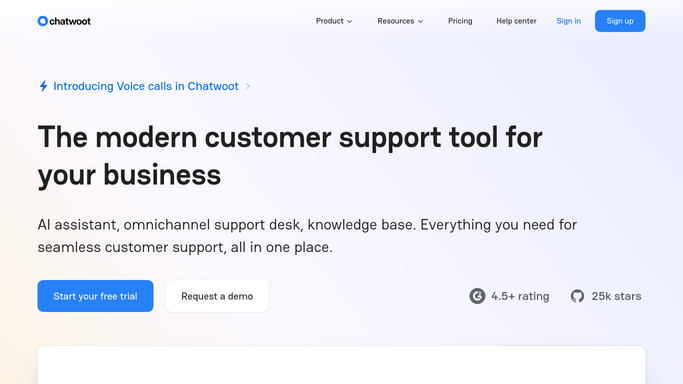
WebRun opens Chatwoot to find overdue conversations. - Open Chatwoot and filter open conversations by time since last reply
- Capture every conversation past your response-time target
- Sort them oldest first and note the assigned agent for each
Done when Every overdue conversation is listed with its wait time and assigned agent.
-
2
Slack - post the chase list
slack.com How to Automate Slack

WebRun opens Slack to post the chase list. - Post the full overdue list to the support Slack channel
- Order it oldest first with the assigned agent tagged
- Leave the replying to the agents. WebRun never answers the customer
Done when The support channel has this hour's overdue list in Slack.
-
3
Telegram - ping on-call for the oldest one
telegram.org How to Automate Telegram

WebRun opens Telegram to ping on-call for the oldest one. - Check whether the oldest overdue conversation is within 15 minutes of breaching SLA
- If so, message the on-call agent directly on Telegram
- Include the conversation age and the assigned agent's name
Done when The on-call agent has been pinged whenever a breach is imminent.
How is each run configured?
Secure by default
Connect once, stays signed in
WebRun signs in once and keeps each session in a persistent environment, so every run picks up right where it left off.
Every action is checked against this policy before it runs.
Questions, answered
Does WebRun answer the overdue conversations itself?
No. It only surfaces the list in Slack and Telegram. Every reply to a customer is still typed and sent by your own agents.
How is SLA breach risk decided?
It reads each conversation's time since last reply directly from Chatwoot and flags anything within 15 minutes of your response-time target.
Will the same conversation get pinged repeatedly?
It only sends a Telegram ping when a conversation is newly within the breach window each run, so agents are not flooded with repeat alerts for the same chat.
Related templates
Put this on autopilot.
Turn it on in minutes - or have our team set it up for you.