Catch open recalls on the cars sitting on your lot
Every morning, WebRun opens Carfax, runs the VINs on your current inventory list, reads each vehicle history report for open recalls and recent service history, sends the day's recall list to WhatsApp, and creates a Trello card per affected car so the shop can book the work.
- No credit card
- Under $0.01 per run
- Cancel anytime
How do I check my used car inventory for open recalls every day?
WebRun sweeps your lot for open recalls every morning. It runs each in-stock VIN through Carfax, reads the vehicle history report for open recalls and whether the remedy was performed, sends the day's list to WhatsApp, and creates a Trello card per affected car for the shop to book.
- Recalled cars are found before they are sold, not after
- Every affected VIN reaches the shop board the same morning
- Vehicles with the remedy already done drop off the list
Built for used car dealers · service managers · lot managers · independent garages
What does WebRun do on every run?
The exact actions WebRun takes, in order - in plain language, so you can adjust anything.
-
WebRun signs in and gets to work
Opens
www.carfax.comin a real browser with your saved login - no setup, no API keys. -
1
Carfax - check each VIN for open recalls
carfax.com
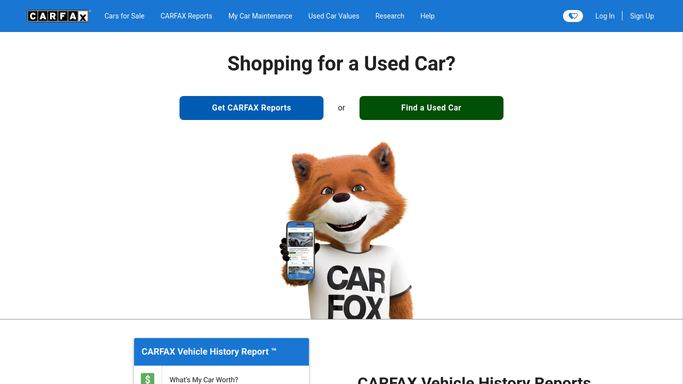
WebRun opens Carfax to check each VIN for open recalls. - Open Carfax and work through the VINs on your current inventory list
- Read each vehicle history report and note any open recall
- Capture the recall description and the date it was issued
- Check the service history for whether the remedy has already been performed
- Skip VINs already cleared on an earlier run unless a new recall appeared
Done when Every VIN in stock has been checked and open recalls are listed.
-
2
WhatsApp - send today's recall list
whatsapp.com How to Automate WhatsApp

WebRun opens WhatsApp to send today's recall list. - Send the sales and service group today's open recall list
- Show the VIN, year, make, model and the recall in one line each
- Put cars closest to being sold or already on the front line first
- Say clearly when no new recalls were found so a quiet day is confirmed
Done when The team has today's recall list on WhatsApp.
-
3
Trello - queue each car for the shop
trello.com How to Automate Trello

WebRun opens Trello to queue each car for the shop. - Open the service board in Trello
- Create one card per affected vehicle with the VIN, the recall and the stock number
- Put the card in the To book list so a service advisor schedules it
- Move a card to Cleared only when the report shows the remedy performed
- Do not contact a customer or a manufacturer. Bookings stay a human step
Done when Every recalled vehicle has a card waiting for the shop.
How is each run configured?
Secure by default
Connect once, stays signed in
WebRun signs in once and keeps each session in a persistent environment, so every run picks up right where it left off.
Every action is checked against this policy before it runs.
Questions, answered
Does it contact customers or book the work itself?
No. WebRun lists the affected vehicles and creates a Trello card for each one. Booking the shop and talking to any customer stays with your service advisors.
What if the recall was already fixed?
WebRun reads the service history on the report and marks a vehicle cleared when the remedy shows as performed, so the same car does not reappear on the list every morning.
How does it know what is in stock?
It works from the inventory VIN list you point it at, so cars that sold drop off the sweep and newly added stock is picked up on the next morning run.
Related templates
Put this on autopilot.
Turn it on in minutes - or have our team set it up for you.