Catch the rides that break your travel policy
Every Monday, WebRun signs in to Careem, reads the past week of trips on the account, flags any ride above your cost cap, taken outside working hours, or duplicated on the same route within minutes, writes every flagged trip into an Airtable review table, and posts a short summary page into Notion for whoever signs off travel spend.
- No credit card
- Under $0.01 per run
- Cancel anytime
How do I review Careem ride spend against our travel policy each week?
WebRun reads your Careem ride history every Monday and flags trips above your fare cap, taken outside working hours, or duplicated on the same route. Each flagged trip lands in an Airtable review table and a weekly summary with the largest fares is posted to Notion for sign-off.
- Out-of-policy rides are questioned the week they happen, not at year end
- Weekly ride spend is on one Notion page instead of in an app nobody opens
- Every flagged trip carries its reason, so the review conversation is short
Built for finance teams · office managers · operations leads · companies in the Gulf and MENA
What does WebRun do on every run?
The exact actions WebRun takes, in order - in plain language, so you can adjust anything.
-
WebRun signs in and gets to work
Opens
www.careem.comin a real browser with your saved login - no setup, no API keys. -
1
Careem - read the week's trips and fares
careem.com
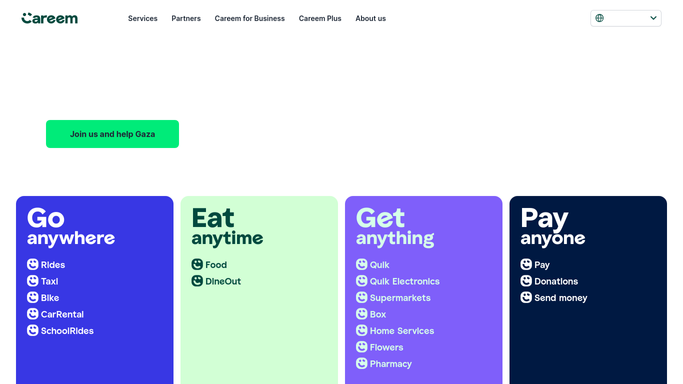
WebRun opens Careem to read the week's trips and fares. - Sign in to Careem and open the ride history for the account
- Read the last seven days of trips: date, time, route, ride type, and fare
- Flag any trip above your fare cap, any trip outside working hours, and any near-duplicate on the same route
- Note the total spend for the week and how it compares with the week before
Done when Every trip from the past week is read and the exceptions are flagged.
-
2
Airtable - log every flagged trip
airtable.com How to Automate Airtable

WebRun opens Airtable to log every flagged trip. - Open the travel review table in Airtable
- Add a row per flagged trip with the date, route, fare, ride type, and the reason it was flagged
- Leave the status field blank so a reviewer can mark it approved or queried
- Skip trips already logged in an earlier run
Done when Every flagged trip has a row in Airtable awaiting a decision.
-
3
Notion - post the weekly review summary
notion.so How to Automate Notion

WebRun opens Notion to post the weekly review summary. - Add this week's entry to the travel spend page in Notion
- Show total spend, trip count, and the number of flagged trips
- List the three largest fares of the week with their routes
- Link back to the Airtable table for the full detail
Done when The Notion travel page carries this week's summary and links to the detail.
How is each run configured?
Secure by default
Connect once, stays signed in
WebRun signs in once and keeps each session in a persistent environment, so every run picks up right where it left off.
Every action is checked against this policy before it runs.
Questions, answered
Can it book, cancel, or dispute a ride?
No. WebRun only reads your ride history and reports on it. It never books a ride, cancels one, raises a dispute, or contacts a captain. Flagged trips are logged for a human to decide on.
What counts as a policy exception?
Three things by default: a fare above the cap you set, a trip taken outside working hours, and a near-duplicate on the same route within minutes. Adjust any of the three or add your own rule.
Does it message the person who took the ride?
No. The flagged trip goes into Airtable and the summary goes into Notion. Any conversation with the rider is yours to have, with the detail already gathered for you.
Related templates
Put this on autopilot.
Turn it on in minutes - or have our team set it up for you.