Automated Canny Shipped Feature Announcements
Every Monday, WebRun opens Canny, finds posts moved to complete since the last run, collects the voters on each, drafts a changelog entry and a per post announcement email in Gmail for your approval, and puts a publishing slot on your Google Calendar.
How do I tell Canny voters when the feature they asked for ships?
WebRun opens Canny every Monday, finds the posts marked complete since the last run, and collects the voters and commenters on each. It then drafts a changelog entry and a per post announcement in Gmail for your approval and books a publishing slot on your Google Calendar.
- Every voter hears that the thing they asked for shipped
- A changelog draft is ready to review each Monday
- No announcement is sent to a customer without your approval
Built for product managers · SaaS teams · customer success · founders
What does WebRun do on every run?
The exact actions WebRun takes, in order - in plain language, so you can adjust anything.
-
WebRun signs in and gets to work
Opens
canny.io/loginin a real browser with your saved login - no setup, no API keys. -
1
Canny - find posts marked complete
canny.io
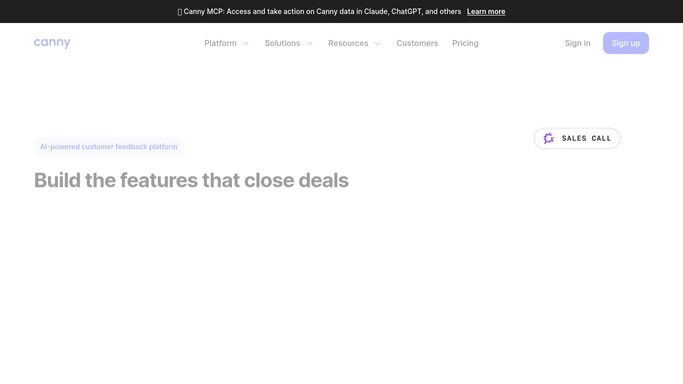
WebRun opens Canny to find posts marked complete. - Sign in to Canny and open each board you track
- Filter posts to complete and keep the ones marked complete since the last run
- Open each post and capture the title, the description, and the vote count
- Collect the voters and commenters on each post, with the ones who never had a reply flagged
Done when Every newly shipped post is listed with its voters and comment history.
-
2
Gmail - draft the announcements
gmail.com

WebRun opens Gmail to draft the announcements. - Draft one changelog entry covering everything shipped this week
- Draft a short announcement per post naming what the voters asked for and what landed
- Attach the voter list to each draft so you can see who it would go to
- Leave every message unsent in Gmail drafts. Nothing reaches a customer until you send it
Done when A changelog draft and a per post announcement sit unsent in Gmail.
-
3
Google Calendar - book the publishing slot
calendar.google.com

WebRun opens Google Calendar to book the publishing slot. - Add a short slot to your Google Calendar to review and publish the changelog
- Put the count of shipped posts and waiting voters in the event title
- Link the Gmail drafts in the event description
Done when A review and publish slot is on your calendar for this week.
How is each run configured?
Secure by default
Connect once, stays signed in
WebRun signs in once and keeps each session in a persistent environment, so every run picks up right where it left off.
Every action is checked against this policy before it runs.
Questions, answered
Will it email my customers without me?
No. Every announcement is left unsent in Gmail drafts with its voter list attached. You read each one and press send yourself, so nothing reaches a customer unapproved.
Does it post a comment or change the status in Canny?
No. WebRun only reads your Canny boards. It never comments on a post, changes a status, or replies to a voter. All the writing happens in your Gmail drafts.
How does it know which posts are new since last time?
It reads the live status and the completion date on each post, so only posts marked complete since the previous run appear. Anything already announced is skipped.
Related templates
Put this on autopilot.
Turn it on in minutes - or have our team set it up for you.