Redeploy contractors before their placement ends
Every Monday, WebRun opens Bullhorn, finds every active placement with an end date inside the next few weeks, captures the contractor, the client, the owning recruiter and whether an extension has been logged, cards each one for redeployment in Trello, and posts the ranked digest to your recruiter WhatsApp group.
- No credit card
- Under $0.01 per run
- Cancel anytime
What does WebRun do on every run?
The exact actions WebRun takes, in order - in plain language, so you can adjust anything.
-
WebRun signs in and gets to work
Opens
bullhorn.comin a real browser with your saved login - no setup, no API keys. -
1
Bullhorn - find placements ending soon
bullhorn.com

WebRun opens Bullhorn to find placements ending soon. - Open Bullhorn and filter placements to active with an end date in the next 30 days
- Capture the contractor, the client, the job title, the end date, and the owning recruiter
- Check each record for a logged extension or a renewal conversation already in progress
- Sort by end date so the soonest finisher is first
Done when Every placement ending within the window is listed with its owner and extension status.
-
2
Trello - card each redeployment
trello.com How to Automate Trello
WebRun opens Trello to card each redeployment. - Create a Trello card per ending placement on your redeployment board
- Title it with the contractor name and the end date
- Add the client, the role, the owning recruiter, and the extension status in the description
- Skip placements already carded and still open, and close cards for placements that got extended
Done when Every ending placement has one open Trello card with its owner named.
-
3
WhatsApp - post the recruiter digest
whatsapp.com How to Automate WhatsApp
WebRun opens WhatsApp to post the recruiter digest. - Post the week's digest to your internal recruiter WhatsApp group
- Lead with how many contractors come free in the next 30 days
- List them by end date with the client and the owning recruiter named
- Keep the group internal. WebRun never messages a contractor or a client
Done when The recruiter group knows who comes free and when.
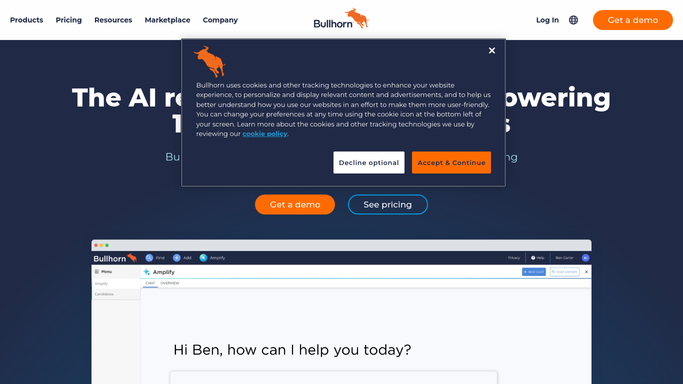


How do I track Bullhorn placements that are about to end?
WebRun opens Bullhorn every Monday and finds every active placement ending within the next 30 days, capturing the contractor, the client, the owning recruiter, and any logged extension. It cards each one for redeployment in Trello and posts the ranked digest to your recruiter WhatsApp group, so nobody comes free unexpectedly.
- Contractors are redeployed before they finish, not after
- Every ending placement has a named recruiter on it
- Extended placements drop off the list automatically
Built for staffing agencies · recruitment consultants · contract recruiters · agency operations
How is each run configured?
Secure by default
Connect once, stays signed in
WebRun signs in once and keeps each session in a persistent environment, so every run picks up right where it left off.
Every action is checked against this policy before it runs.
Questions, answered
Will it contact contractors or clients?
No. WebRun only posts to your own internal recruiter WhatsApp group and your Trello board. It never messages, emails, or calls a contractor or a client, so every conversation stays with your recruiters.
Does it change records in Bullhorn?
No. WebRun reads placement records and end dates in Bullhorn without editing them. It does not extend a placement, change a status, or add a note, so your ATS data stays as your team left it.
What about placements that already got extended?
It reads the live record each Monday. Anything with a logged extension drops off the digest and its Trello card is closed, so nobody chases a redeployment that is already sorted.
Related templates
Put this on autopilot.
Turn it on in minutes - or have our team set it up for you.