Get last week's campaign results without pulling them
Every Monday, WebRun opens the Braze dashboard, reads results for every campaign and Canvas that ran last week including sends, opens, clicks, conversions and unsubscribes, writes the numbers into a dated sheet in Google Drive alongside the previous weeks, and sends your marketing team a WhatsApp summary naming the best and worst performers.
- No credit card
- Under $0.01 per run
- Cancel anytime
How do I get a weekly report of Braze campaign performance?
Every Monday WebRun opens the Braze dashboard, reads last week's campaign and Canvas results including sends, opens, clicks and conversions, and exports the numbers into a dated Google Drive sheet. It then sends your marketing team a WhatsApp summary naming the best and worst performers.
- Monday starts with last week's numbers already filed
- Weak campaigns are named rather than buried in an average
- A rise in unsubscribes is flagged the week it happens
Built for lifecycle marketers · CRM teams · growth teams · marketing operations
What does WebRun do on every run?
The exact actions WebRun takes, in order - in plain language, so you can adjust anything.
-
WebRun signs in and gets to work
Opens
dashboard.braze.comin a real browser with your saved login - no setup, no API keys. -
1
Braze - read last week's results
braze.com
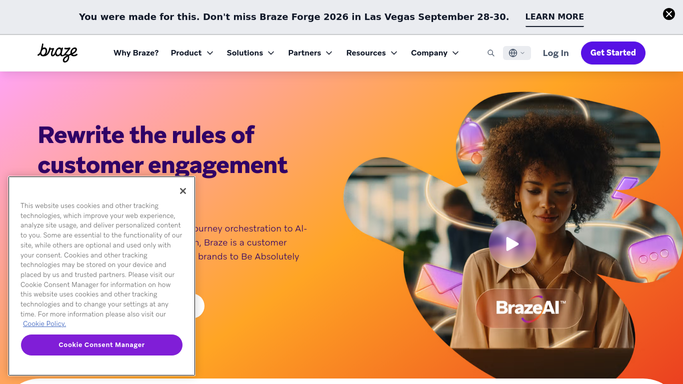
WebRun opens Braze to read last week's results. - Open the Braze dashboard and go to Campaigns, then Canvas
- List everything that delivered in the last 7 days with its channel and audience
- Capture sends, deliveries, opens, clicks, conversions and unsubscribes for each
- Note any campaign whose delivery rate or conversion sits well below its own history
- Read only. Never launch, pause, edit or send a campaign
Done when Every campaign and Canvas that ran last week has its results captured.
-
2
Google Drive - file the numbers
drive.google.com How to Automate Google Drive

WebRun opens Google Drive to file the numbers. - Open your Marketing reporting folder in Google Drive
- Append this week's rows to the running campaign performance sheet, one row per campaign
- Include week ending date, channel, audience size and every captured metric
- Save a dated copy of the summary tab so past weeks stay comparable
- Keep the folder organised by month
Done when Last week's rows are in the running sheet and a dated copy is filed.
-
3
WhatsApp - summarise for the team
whatsapp.com How to Automate WhatsApp

WebRun opens WhatsApp to summarise for the team. - Send your internal marketing group a short summary: total sends, average open and click rate, total conversions
- Name the three best performing campaigns and the three weakest with their numbers
- Call out any rise in unsubscribes, since that is the expensive one to ignore
- Link the Drive sheet, and post to your own team group only. Never message a subscriber
Done when The marketing group has last week's summary and a link to the sheet.
How is each run configured?
Secure by default
Connect once, stays signed in
WebRun signs in once and keeps each session in a persistent environment, so every run picks up right where it left off.
Every action is checked against this policy before it runs.
Questions, answered
Can it send or pause a campaign?
No. WebRun is read only in Braze. It never launches, pauses, edits or duplicates a campaign or Canvas, so no message reaches a customer because of this workflow.
Does it message our subscribers?
No. The only WhatsApp message goes to your internal marketing group. WebRun never contacts a subscriber, a user or a customer.
Does it keep history, or just this week?
It keeps history. Every week is appended to a running sheet in Drive and a dated copy is filed, so you can compare a campaign against the same campaign three months ago.
Related templates
Put this on autopilot.
Turn it on in minutes - or have our team set it up for you.