Keep your grading queue from piling up
Every Monday, WebRun signs into Blackboard, reads the Needs Grading queue in every course you teach, counts how many submissions are waiting and how long the oldest has sat there, opens a Trello card per assignment still to be marked, and sends you a WhatsApp summary of the week's grading load.
- No credit card
- Under $0.01 per run
- Cancel anytime
How do I keep track of my Blackboard grading backlog each week?
WebRun signs into Blackboard every Monday and reads the Needs Grading queue across all your courses, capturing how many submissions wait and how long the oldest has sat there. It opens a Trello card per ungraded assignment and sends you a WhatsApp summary of the week's grading load by course.
- The whole grading load fits in one Monday message
- Work past its feedback deadline is named first
- Each assignment has a tracked card instead of a mental note
Built for university lecturers · teaching assistants · course coordinators · training providers
What does WebRun do on every run?
The exact actions WebRun takes, in order - in plain language, so you can adjust anything.
-
WebRun signs in and gets to work
Opens
www.blackboard.comin a real browser with your saved login - no setup, no API keys. -
1
Blackboard - read the needs-grading queue
blackboard.com
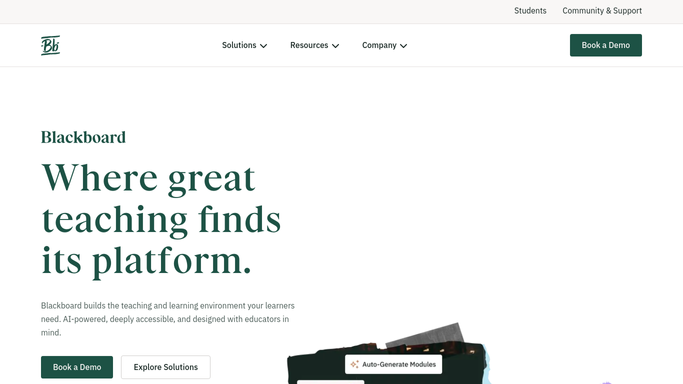
WebRun opens Blackboard to read the needs-grading queue. - Sign in to Blackboard and open each course you teach
- Read the Needs Grading queue and capture the assignment name and submission count
- Note the oldest submission date so ageing work is visible
- Flag any assignment whose feedback deadline has already passed
- Read only. Never enter or release a grade
Done when Every course has its ungraded assignments listed with counts and ages.
-
2
Trello - open a card per assignment
trello.com How to Automate Trello

WebRun opens Trello to open a card per assignment. - Open your teaching board and add a card for each assignment still to grade
- Title it with the course code and assignment name, and put the submission count in the description
- Set the card due date from your feedback deadline
- Move anything past its deadline to the top list
- Skip assignments that already have an open card, and close cards for work now fully graded
Done when The board shows one card per ungraded assignment, with overdue work first.
-
3
WhatsApp - send the weekly backlog
whatsapp.com How to Automate WhatsApp

WebRun opens WhatsApp to send the weekly backlog. - Send yourself a short WhatsApp summary of the total submissions waiting
- Break the total down by course and name the oldest item
- Call out anything past its feedback deadline first
- Keep the message to you. Never message a student
Done when You have this week's grading load in one message.
How is each run configured?
Secure by default
Connect once, stays signed in
WebRun signs in once and keeps each session in a persistent environment, so every run picks up right where it left off.
Every action is checked against this policy before it runs.
Questions, answered
Does it grade or give feedback to students?
No. WebRun reads the Needs Grading queue only. It never enters a grade, writes feedback, releases marks, or messages a student. All marking stays with you.
Does it see student work or names?
It reads counts and dates at the assignment level, not individual scripts. The Trello card records the course, the assignment, and how many submissions wait, with no student content.
What if I teach several courses?
It walks every course on your Blackboard account and breaks the backlog down course by course, so one message tells you where the pressure actually is.
Related templates
Put this on autopilot.
Turn it on in minutes - or have our team set it up for you.