Follow up the moment a Better Proposals proposal is viewed
Every hour, WebRun opens Better Proposals, checks for documents viewed since the last run, drafts a short WhatsApp follow-up referencing the proposal for the sender to review and send, and blocks a tentative call slot on the sender's Google Calendar for the next business day in case the prospect wants to discuss it.
- No credit card
- Under $0.01 per run
- Cancel anytime
How do I follow up quickly when a Better Proposals document gets viewed?
WebRun checks Better Proposals every hour for documents that were viewed, drafts a short WhatsApp follow-up referencing the proposal for the sender to review and send, and blocks a tentative call slot on their Google Calendar. Nothing sends automatically, so senders can follow up on real engagement within the hour instead of waiting to remember to check.
- Follow-ups are drafted within an hour of a proposal being opened
- Call time is held before the sender even asks for it
- No viewed proposal goes without a chance at a timely follow-up
Built for Freelancers · agencies sending proposals · consultants · small business sales teams
What does WebRun do on every run?
The exact actions WebRun takes, in order - in plain language, so you can adjust anything.
-
WebRun signs in and gets to work
Opens
betterproposals.ioin a real browser with your saved login - no setup, no API keys. -
1
Better Proposals - find newly viewed proposals
betterproposals.io
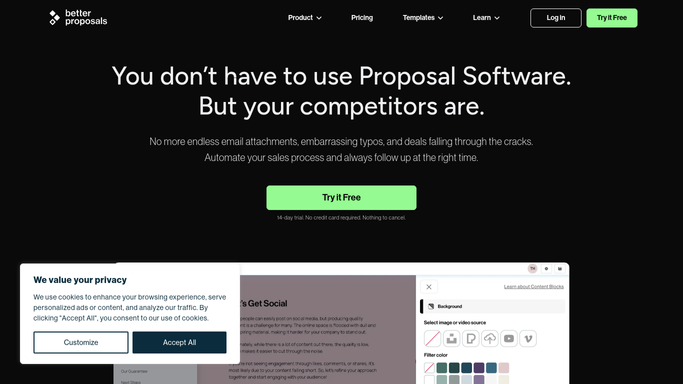
WebRun opens Better Proposals to find newly viewed proposals. - Open Better Proposals and check documents viewed since the last run
- Read the prospect's name, proposal value, and time spent viewing
- Note whether pricing sections were opened
Done when Every newly viewed proposal has its detail captured.
-
2
WhatsApp - draft a follow-up message
whatsapp.com How to Automate WhatsApp

WebRun opens WhatsApp to draft a follow up message. - Draft a short, friendly follow-up referencing the proposal
- Offer to answer any questions about scope or pricing
- Queue the draft for the sender. WebRun never sends the message itself
Done when Every viewed proposal has a drafted follow-up waiting for approval.
-
3
Google Calendar - hold a tentative call slot
calendar.google.com How to Automate Google Calendar

WebRun opens Google Calendar to hold a tentative call slot. - Open the sender's calendar
- Block a tentative call slot for the next business day
- Title it with the prospect's name and proposal value
Done when Every viewed proposal has a tentative slot on the sender's calendar.
How is each run configured?
Secure by default
Connect once, stays signed in
WebRun signs in once and keeps each session in a persistent environment, so every run picks up right where it left off.
Every action is checked against this policy before it runs.
Questions, answered
Will it message the prospect without me checking it first?
No. WebRun only drafts the WhatsApp follow-up. You review and send it yourself, nothing goes to the prospect automatically.
What if the prospect doesn't want a call?
The calendar hold is only tentative and stays private. If no call happens, you simply delete or reuse the slot yourself.
Does it follow up on the same view twice?
No. It only processes views since its last check, so a proposal doesn't generate a second draft unless it's opened again on a later day.
Related templates
Put this on autopilot.
Turn it on in minutes - or have our team set it up for you.