Automated Behance Freelance Job Shortlist
Every Monday, WebRun opens the job listings on Behance, filters them to your creative field and location, reads each posting to judge whether it is worth your time, saves the shortlist to a Google Drive doc, and opens a Trello card per role with the link and a note on why it fits.
How do I find freelance design briefs worth pitching each week?
Every Monday, WebRun opens the job listings on Behance, filters them to your creative field and location, and shortlists the briefs worth pitching for. It saves the details to Google Drive and opens a Trello card per role with a link and a note, so new business starts from a shortlist instead of a scroll.
- Monday starts with a shortlist instead of a scroll through every listing
- Each role arrives with a one-line reason it fits your portfolio
- Roles seen in an earlier week never come back around
Built for freelance designers · illustrators · design studios · new business leads
What does WebRun do on every run?
The exact actions WebRun takes, in order - in plain language, so you can adjust anything.
-
WebRun signs in and gets to work
Opens
www.behance.netin a real browser with your saved login - no setup, no API keys. -
1
Behance - read and filter job listings
behance.net
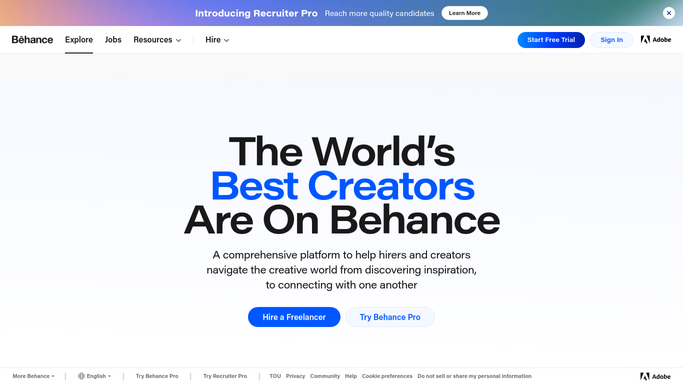
WebRun opens Behance to read and filter job listings. - Open Behance and go to the job listings
- Filter to your creative field and the locations you work in, including remote
- Read each posting and capture the company, the role, the location, and the posting date
- Judge the fit against the work in your own portfolio and set aside anything clearly off-brief
- Skip roles you already saved or pitched in an earlier week
- Write one line per role explaining why it fits, so the shortlist is decision-ready
Done when This week's listings are filtered to a shortlist with a fit note on each role.
-
2
Google Drive - save the weekly shortlist
drive.google.com

WebRun opens Google Drive to save the weekly shortlist. - Save this week's shortlist as a dated document in your new business folder in Google Drive
- Give each role its own section: company, role, location, link, and the fit note
- Keep the previous weeks in the same folder so the pipeline has a history
Done when This week's shortlist is saved as a dated document in Drive.
-
3
Trello - card each role to pitch
trello.com

WebRun opens Trello to card each role to pitch. - Open a Trello card for each shortlisted role on your new business board
- Put the company and role in the title, and the link plus the fit note in the description
- Order the board by posting date so the freshest brief is pitched first
- Leave the applying to you. WebRun never sends a pitch, an application, or a message to a company
Done when Every shortlisted role has a Trello card with its link and fit note.
How is each run configured?
Secure by default
Connect once, stays signed in
WebRun signs in once and keeps each session in a persistent environment, so every run picks up right where it left off.
Every action is checked against this policy before it runs.
Questions, answered
Will it apply to jobs for me?
No. WebRun never sends an application, a pitch, or a message to a company. It builds the shortlist and you write the pitch, so every approach comes from you in your own words.
How does it decide a role is worth pitching?
It matches the listing against your creative field, the locations you work in, and the kind of work already in your portfolio, then writes a one-line reason it fits so you can disagree quickly.
Will I see the same job every week?
No. It skips roles you already saved or carded in an earlier week, so each Monday's board only carries listings you have not seen.
Related templates
Put this on autopilot.
Turn it on in minutes - or have our team set it up for you.