Chase the check-in questions nobody answered
Every morning, WebRun opens Basecamp, reads each project's automatic check-in questions, works out who has not posted an answer and for how long, tracks the run of silence on a Trello board, and posts Slack a short list of the people to follow up with.
- No credit card
- Under $0.01 per run
- Cancel anytime
How do I find out who has not answered their Basecamp check-in?
WebRun opens Basecamp every morning, reads each project's automatic check-in questions, and works out who has not posted an answer and for how many rounds. It tracks the run of silence on a Trello board and posts Slack a named follow-up list, so a quiet week gets a conversation early.
- You see who is behind and by how many rounds, every morning
- Follow-ups go to people, not to an automated nag
- A quiet week is spotted before it becomes a surprise
Built for project leads · remote teams · agency managers · operations leads
What does WebRun do on every run?
The exact actions WebRun takes, in order - in plain language, so you can adjust anything.
-
WebRun signs in and gets to work
Opens
launchpad.37signals.com/signinin a real browser with your saved login - no setup, no API keys. -
1
Basecamp - read check-in answers
basecamp.com
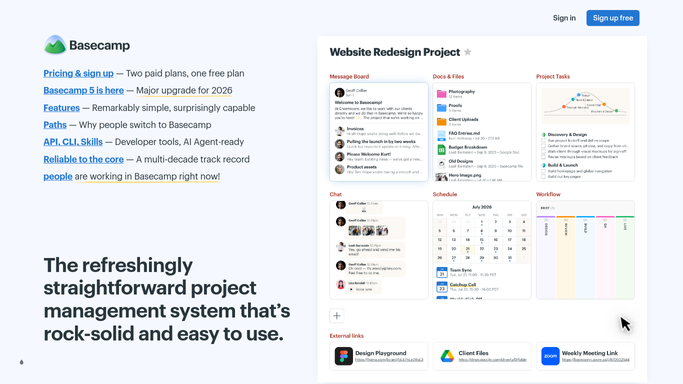
WebRun opens Basecamp to read check-in answers. - Open each project and go to its automatic check-in questions
- List who was asked and who posted an answer for the most recent round
- Count how many consecutive rounds each person has missed, so a one-off is not treated like a pattern
Done when Every check-in question has its answered and unanswered names, with a missed-rounds count per person.
-
2
Trello - track the run of silence
trello.com How to Automate Trello

WebRun opens Trello to track the run of silence. - Keep a card per person with the check-ins they are asked and the rounds they have missed
- Move a card into Follow up once someone crosses the number of missed rounds you set
- Move it back to Answering as soon as they post again, so the board reflects the current week
Done when The board shows who is answering, who is behind, and by how many rounds.
-
3
Slack - post who to follow up
slack.com How to Automate Slack

WebRun opens Slack to post who to follow up. - Post a short list to your team channel naming who has not answered and for how long
- Put the longest silences first with the project and the question they relate to
- Leave the nudge to a person. WebRun never messages the individual or posts an answer on their behalf
Done when The team channel has today's list of unanswered check-ins with the longest silences at the top.
How is each run configured?
Secure by default
Connect once, stays signed in
WebRun signs in once and keeps each session in a persistent environment, so every run picks up right where it left off.
Every action is checked against this policy before it runs.
Questions, answered
Will it message people directly or post in Basecamp?
No. WebRun posts one internal summary in Slack for the project lead. It never direct-messages a teammate, never comments in Basecamp, and never answers a check-in for someone.
How does it avoid flagging someone who was on holiday?
It counts consecutive missed rounds rather than a single gap, and you set the threshold. Set it to two or three rounds and a day off never reaches the list.
Does it read the content of the answers?
It reads whether a person answered and when, which is what the list needs. The answers themselves stay in Basecamp and are not copied into Slack or Trello.
Related templates
Put this on autopilot.
Turn it on in minutes - or have our team set it up for you.