Start the day with an optimized route already planned
Every morning, WebRun opens Badger Maps, builds today's optimized route based on the day's scheduled visits and priority accounts, posts a route summary to Slack so the manager can see the team's coverage for the day, and sends each rep their own route and stop order on Telegram so they can start driving without opening the app first.
- No credit card
- Under $0.01 per run
- Cancel anytime
How do I get an optimized daily route from Badger Maps automatically?
Every morning, WebRun opens Badger Maps and builds today's optimized route based on scheduled visits and priority accounts. It posts a coverage summary to Slack for the manager and sends each rep their own route and stop order on Telegram, so the day starts with a planned route instead of a rep figuring out their own order on the fly.
- Reps start driving with a route already planned, not built on the fly
- Managers see daily coverage without checking each rep
- Priority accounts that do not fit get flagged instead of dropped
Built for field sales reps · territory managers · outside sales teams · route based sales
What does WebRun do on every run?
The exact actions WebRun takes, in order - in plain language, so you can adjust anything.
-
WebRun signs in and gets to work
Opens
badgermapping.comin a real browser with your saved login - no setup, no API keys. -
1
Badger Maps - build today's route and stop list
badgermapping.com
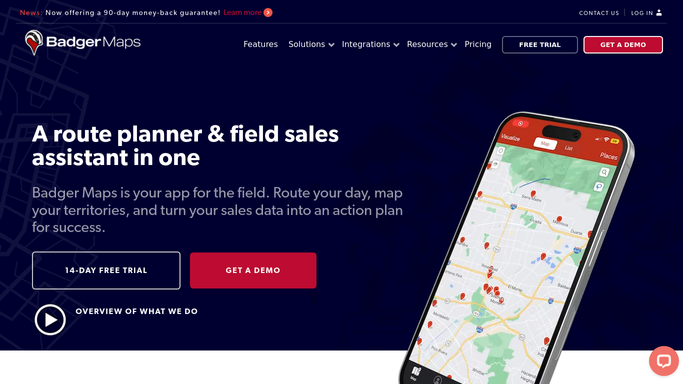
WebRun opens Badger Maps to build today's route and stop list. - Open Badger Maps and review today's scheduled visits and priority accounts
- Build the optimized route and stop order for each rep
- Note any priority account that could not fit in today's route
Done when Every rep has an optimized route and stop order for today.
-
2
Slack - post the route summary to the manager
slack.com How to Automate Slack

WebRun opens Slack to post the route summary to the manager. - Post a summary of today's routes to the manager channel
- Show each rep's stop count and coverage area
- Flag any priority account left out of today's route
Done when The manager has today's route summary in Slack.
-
3
Telegram - send the rep their route
telegram.org How to Automate Telegram

WebRun opens Telegram to send the rep their route. - Send each rep their route and stop order on Telegram
- Include the address and order for each stop
- Note the total stops and estimated drive time
Done when Every rep has their route for today on Telegram.
How is each run configured?
Secure by default
Connect once, stays signed in
WebRun signs in once and keeps each session in a persistent environment, so every run picks up right where it left off.
Every action is checked against this policy before it runs.
Questions, answered
Does it schedule the visits itself?
No. WebRun only builds the route from visits already scheduled in Badger Maps. Adding or moving a scheduled visit is still done by the rep or manager.
What happens to a priority account that does not fit?
It gets flagged in the manager's Slack summary instead of silently dropped, so the manager can decide whether to reschedule it or adjust the day.
Does the rep need to open Badger Maps to see their route?
No, the route and stop order are sent directly on Telegram each morning, so a rep can start driving without opening the app first.
Related templates
Put this on autopilot.
Turn it on in minutes - or have our team set it up for you.