Hand off delayed Australia Post parcels to your team
Every morning, WebRun opens your Australia Post business shipping account, checks every parcel in transit for a delay or exception, sends the fulfillment teammate an internal WhatsApp message naming each one, and books a follow-up check on the calendar for the next business day.
- No credit card
- Under $0.01 per run
- Cancel anytime
How do I make sure delayed Australia Post parcels get handled by my team?
WebRun checks every parcel in transit on Australia Post each morning for a delay or tracking exception. It hands each one to your fulfillment teammate over an internal WhatsApp message with the tracking number, then books a follow up check on the calendar for the next business day, so a delayed parcel always has an owner.
- Delayed parcels reach the right teammate the same morning they are flagged
- Every delay gets a booked follow up instead of being forgotten
- Customers never get messaged directly by the automation
Built for Ecommerce sellers · fulfillment teams · small business retailers · online store owners
What does WebRun do on every run?
The exact actions WebRun takes, in order - in plain language, so you can adjust anything.
-
WebRun signs in and gets to work
Opens
auspost.com.auin a real browser with your saved login - no setup, no API keys. -
1
Australia Post - check parcels for delays
auspost.com.au
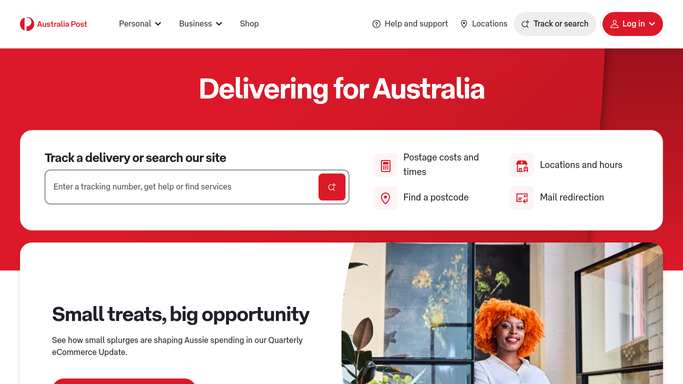
WebRun opens Australia Post to check parcels for delays. - Open the business shipping dashboard
- Check the tracking status of every parcel still in transit
- Flag any parcel marked delayed or with an exception
Done when Every in-transit parcel has been checked for a delay or exception.
-
2
WhatsApp - hand off to the fulfillment teammate
whatsapp.com How to Automate WhatsApp

WebRun opens WhatsApp to hand off to the fulfillment teammate. - Send the fulfillment teammate an internal message naming each delayed parcel
- Include the tracking number and the customer order it belongs to
- Never message the customer directly, only the internal teammate
Done when The teammate has been notified of every delayed parcel.
-
3
Google Calendar - book a follow up check
calendar.google.com How to Automate Google Calendar

WebRun opens Google Calendar to book a follow up check. - Add a follow up check for the next business day for each delayed parcel
- Include the tracking number in the event details
- Remove the event once the parcel is no longer delayed
Done when A follow up check is booked for every delayed parcel.
How is each run configured?
Secure by default
Connect once, stays signed in
WebRun signs in once and keeps each session in a persistent environment, so every run picks up right where it left off.
Every action is checked against this policy before it runs.
Questions, answered
Will it message the customer about the delay?
No. WebRun only messages your internal fulfillment teammate over WhatsApp. Contacting the customer stays a human decision on your team.
What counts as a delay?
Any parcel Australia Post itself marks delayed or flags with a tracking exception. Parcels still moving normally aren't included.
Does the follow up repeat if the parcel is still delayed?
Yes. A new follow up check is booked each business day until the parcel's tracking shows it moving again or delivered.
Related templates
Put this on autopilot.
Turn it on in minutes - or have our team set it up for you.