Warn the team before Appwrite hits its limits
Through the day, WebRun opens the Appwrite console, reads bandwidth, storage, executions, and database usage for each project against the plan allowance, sends the on-call engineer a Twilio text the moment a threshold is crossed, and posts the running percentages to your team WhatsApp group.
- No credit card
- Under $0.01 per run
- Cancel anytime
How do I get alerted before Appwrite usage hits my plan limit?
WebRun checks your Appwrite projects hourly, reading bandwidth, storage, executions, and database usage against your plan allowance. When a metric crosses the threshold you set, it texts the on-call engineer through Twilio and posts the running percentages to your team WhatsApp group, so limits are seen coming.
- The team hears about a limit before users do
- One text per crossed threshold, not one per check
- Usage trend is visible in the group chat all day
Built for backend engineers · startup CTOs · platform teams · indie developers
What does WebRun do on every run?
The exact actions WebRun takes, in order - in plain language, so you can adjust anything.
-
WebRun signs in and gets to work
Opens
cloud.appwrite.ioin a real browser with your saved login - no setup, no API keys. -
1
Appwrite - read usage against limits
appwrite.io
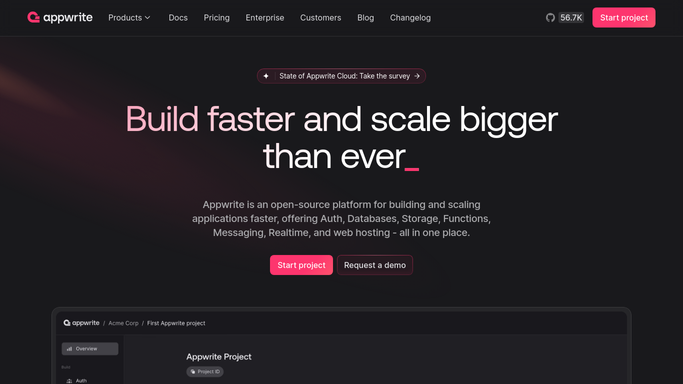
WebRun opens Appwrite to read usage against limits. - Open the Appwrite console and select each project you run
- Read the usage panel for bandwidth, storage, function executions, and database reads
- Compare each figure against your plan allowance and work out the percentage used
- Note the rate of change since the last run so a sudden spike stands out from steady growth
Done when Every project has a current usage percentage and a trend for each metric.
-
2
Twilio - text the on-call engineer
twilio.com How to Automate Twilio

WebRun opens Twilio to text the on-call engineer. - Send a short text through Twilio only when a metric crosses the threshold you set, for example 80 percent of allowance
- Address it only to the on-call numbers on your own roster, never to a customer or an end user
- Put the project, the metric, and the percentage in the first line so it reads on a lock screen
- Hold off for the cooldown window you set so one bad afternoon does not fire ten texts
Done when The on-call engineer has been texted once per crossed threshold, with no repeats inside the cooldown.
-
3
WhatsApp - post the running numbers
whatsapp.com How to Automate WhatsApp

WebRun opens WhatsApp to post the running numbers. - Post the running usage percentages for every project to your internal team group
- Order projects by how close each is to a limit
- Mark anything that moved more than a few points since the last run
- Keep the post to one screen so it can be read in a glance
Done when The team group shows the current usage picture for every Appwrite project.
How is each run configured?
Secure by default
Connect once, stays signed in
WebRun signs in once and keeps each session in a persistent environment, so every run picks up right where it left off.
Every action is checked against this policy before it runs.
Questions, answered
Will it text my customers?
No. Twilio texts go only to the on-call numbers you register yourself, and nowhere else. WebRun never messages an end user, a customer, or anyone outside that roster, and it never sends marketing of any kind.
Can it upgrade my plan or change project settings?
No. WebRun only reads the usage panel in Appwrite. It never upgrades a plan, buys capacity, deletes data, or edits a project. Every change to your account stays yours to make.
How do I stop alert spam on a busy day?
Set a threshold and a cooldown window. WebRun texts once when a metric crosses the line and then stays quiet for the cooldown, while the WhatsApp group keeps showing the running numbers.
Related templates
Put this on autopilot.
Turn it on in minutes - or have our team set it up for you.