How to Automate Time To Pet
Time To Pet automates the visit and the client around it. The Pet Parent Portal takes requests and payments, Customer Conversations carries messages by email, text or push, report cards go out after each visit, the Staff App tracks GPS and time, and invoicing builds from the schedule. Chasing money and lapsed clients still needs someone.
 Written by
Marta Ellison
Automation strategist
Written by
Marta Ellison
Automation strategist
 Reviewed by
Hannah Vogel
Finance operations
Reviewed by
Hannah Vogel
Finance operations
Time To Pet tracks a business that happens in other people's houses
Time To Pet runs the scheduling, billing and client communication for dog walkers, pet sitters, cat sitters, daycare and boarding operators, and the mobile groomers who work out of a van.
What makes it unusual is where the work happens. There is no shop. The service takes place in a client's kitchen while they are four time zones away, performed by a member of staff the owner may never have met, using a key handed over in a car park weeks earlier.
That produces a business built almost entirely on trust and proof. The client needs to know the visit happened, that the cat ate, that the back door was locked. The sitter needs the alarm code, the leash location and the note about the dog that bolts. The owner needs to know who went where and whether anybody has paid.
So the software holds visits, clients, pets, staff, schedules, invoices and a running conversation, and everyone involved reads a different part of it from a different phone.
The schedule changes faster than anyone can retype it
Pet care is a business of small changes arriving constantly.
A client extends a trip by two days at ten at night. Another cancels the Friday walk because they are working from home. A sitter calls in sick and eleven visits need reassigning before seven the next morning. A holiday week has to be filled and staffed, and nobody is quite sure who is available.
Around that sits the money and the paperwork. Invoices that generate cleanly and then wait, because the card on file expired and the client has not noticed. Vaccination records that lapsed sometime in spring. Regular clients from last summer who have not booked this summer, and it is already May. A weekly figure for how the business did, which exists only if somebody builds it.
None of that is the job. The job is the dog.
The portal and the report card already do the reassuring
Time To Pet automates the client relationship properly, and a business that has not switched all of it on should start there.
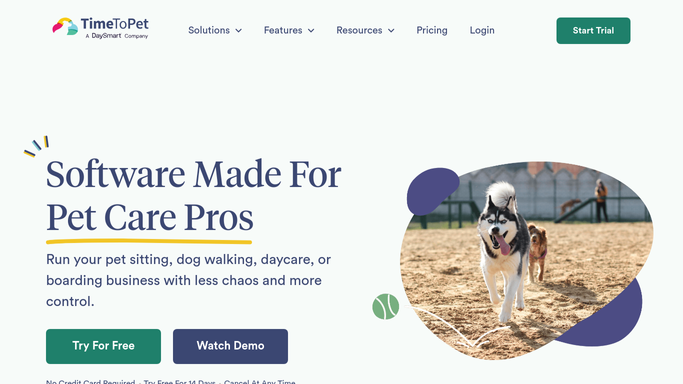
The Pet Parent Portal and Pet Parent App let clients request services, see upcoming visits, update pet information and pay an invoice without emailing anybody, and Pet Parent Onboarding walks a new customer through setting a password, signing your agreements and adding a card. Customer Conversations carries messages as email, text or push notification, with replies landing back in one feed. Visit report cards go out afterwards with notes and photos, which is the thing clients care most about. The Staff App carries GPS and time tracking and lets a walker complete a visit from a phone. Invoicing ties to the schedule, so invoices build from the visits that actually happened.
Every piece of that is about a visit already booked or a client already set up.
That is the boundary. Whether the card on file is still good is a question for the payment processor. Whether the certificate the vet promised was ever issued is a question for the vet. What last summer's clients did this summer is a question somebody has to go and ask.
The client who quietly stopped booking is findable
Nobody cancels a pet sitter. They just stop booking, and it looks like a quiet month right up until it is a lost client.
Clients who booked every week last autumn and nothing this one, listed with their usual service and their sitter, so the drift is visible while it is still recoverable. Holiday weeks counted against the staff who have actually said they are available, in October rather than in the week before Christmas. Vaccination records approaching expiry matched against who has a visit on the books.
The money side is the same shape. Invoices still outstanding, gathered into one list each Monday with the amount and the age. Cards that failed, checked against the processor instead of waiting for a client to notice. Last week's revenue across walks, sits, daycare and boarding, set against what actually reached the bank.
And the arriving side. Enquiries that came through a directory, a neighbourhood app or an old form on the website rather than the portal, pulled into the same place as everything else, so somebody who wrote on Saturday is answered on Saturday.
Keep the client messages supervised. These are people who gave you a key to their house.
The reconciling happens after the last walk
None of that gathering needs the person who did the visits, and yet it has always been them, at nine at night, with a laptop on their knees.
WebRun is an AI agent that works a real Chrome browser, signed in as you. It opens Time To Pet, the payment processor or whichever site holds the answer, reads it, and hands back what is due, what is outstanding and what does not match.
It runs on your schedule in your own private environment, and you can watch a run and stop it. Anything going to a client is drafted and waits for you.
The workflows below are already built, and each one names what it opens.
Questions people ask
Will it message pet parents or charge cards by itself?
No. It gathers and drafts, and a person approves anything that reaches a client or moves money. Taking a payment or sending a chaser to somebody who is already paid up damages a relationship built on trust, so those wait.
Invoicing already builds itself from the schedule, so what is missing?
Outside Time To Pet. Invoices generate correctly and then stall on an expired card, a client who has drifted away, or a figure nobody has totalled. Those answers live in the payment processor, the bank and the client history instead.
Can it change a visit or reassign a sitter by accident?
It writes only where you allow it to write, and reading is separate from writing. Most businesses start with it reading and reporting, then let it touch the schedule once they have watched a few runs and trust what it does.
10 ready-made Time To Pet workflows
Each one names the apps it touches and the exact steps it takes. Open one to read what it will do, then turn it on.


Want one of these running on your own Time To Pet?
Show WebRun the process once and it will run it on schedule, in your own private browser environment.