How to Automate RamSoft
RamSoft automates the imaging workflow itself. OmegaAI's universal worklist, rules-based DICOM routing and AI reporting move a study from scanner to signed report without manual handling. What stays manual is everything on somebody else's website: insurer authorisations, eligibility, credential dates and denied claims, which is the layer an agent like WebRun can work.
 Written by
Marta Ellison
Automation strategist
Written by
Marta Ellison
Automation strategist
 Reviewed by
Elliot Nakamura
Platform writer
Reviewed by
Elliot Nakamura
Platform writer
RamSoft carries a scan from the scanner to the signed report
RamSoft builds cloud radiology software. OmegaAI is its RIS, PACS and VNA in one, PowerServer is the PACS suite for practices that still run their own servers, Blume is the patient app, and Stana handles mammography tracking. Imaging centres, teleradiology groups, hospitals, mobile imaging outfits and mammography clinics run on it.
The shape of the work is the same everywhere. A study comes off a scanner. It lands on a worklist. A radiologist opens it, pulls up the priors, dictates, and signs. The report goes back to whoever ordered it. Everything else in the building exists to keep that loop turning.
So the people around it are not all clinical. A scheduler books the slot, a technologist runs the exam, someone verifies the patient's cover first, and someone bills for it afterwards. In a teleradiology group those roles are spread across time zones and half a dozen client sites, and the worklist is the only thing everyone shares.
The reading is fast, the paperwork around it is not
A radiologist can clear a study in minutes. The administration attached to that study takes days, and almost none of it happens in RamSoft.
Before the scan, someone opens an insurer's site to check the authorisation came through and the cover is still active. After it, someone watches for the report going back to the referring practice, and takes the call when it has not. Someone keeps a spreadsheet of which radiologist is licensed in which state and when each licence runs out. Someone works a list of denied claims, each with an appeal window closing on a date nobody wrote down. Someone pulls the mammography recalls that are due and starts ringing.
In a small imaging centre that is one person, and the centre finds out what they were holding together the week they are away. In a teleradiology group it is a coordination team whose job title has nothing to do with radiology.
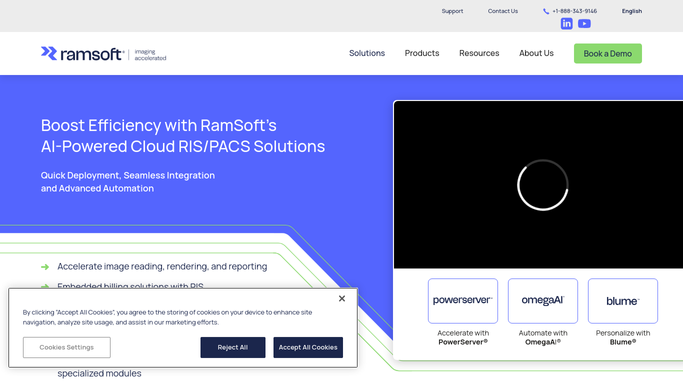
OmegaAI already moves a study without being asked
RamSoft has automated a great deal of the imaging workflow, and it is worth using all of it before adding anything.
OmegaAI runs a true universal worklist, configurable by role, where studies can be filtered, assigned, merged and acted on in one place. Workflow Designer and Automation covers the routine paths a study takes. OmegaAI LINK moves studies between DICOM stations on predefined rules, and edits DICOM tags on the way through with built-in scripting, so data is cleaned before it lands. The RIS Scheduler handles booking, patients can self-schedule through Blume, Parking Bay holds orders that have no slot yet, and modality worklist support pushes booking details straight to the scanner so a technologist is not retyping a name. Reporting is AI-assisted, with speech-to-text and OCR, and Root BI sits over the top of it.
Read that list and the pattern is clear. All of it acts on studies, orders and devices RamSoft already knows about, over HL7 FHIR, DICOMweb and its own APIs.
The insurer's provider portal is not one of those. Neither is the state medical board's licence lookup, the referring hospital's ordering system, or the clearinghouse where a denial sits. Each has its own login, its own layout, and a human being to read it.
The worklist can carry what the payer portal says
Authorisations, licences and denials are all posted on sites the imaging centre already has passwords for.
Next week's booked scans, each checked against the insurer's site overnight, with the ones still unapproved listed first so a patient is not turned away at the door. Eligibility confirmed before the appointment rather than discovered after the scan has been done and cannot be billed.
Every reading radiologist's state licences read off the issuing sites, with anything approaching its expiry raised while renewal is still routine rather than urgent. Denials collected from each payer portal with the appeal deadline attached, sorted by which one closes first. Referrals pulled from a referring facility's own system so a Friday order is not still sitting there on Monday. The month's mammography recalls listed with the date each patient was told to come back.
None of that needs an interface built first, because none of it is an integration. The work is opening a page and taking the date off it.
Imaging puts a hard limit here. This gathers, compares and flags. It reads no images and makes no clinical judgement, and anything that changes a study record or reaches a patient is prepared for a qualified person to check and send.
Radiologists should be reading, not logging in
The checking is not a skilled job, but it does need someone who can log in, read carefully and notice a date. That describes a browser as well as it describes a coordinator.
WebRun is an AI agent that works a real Chrome browser, signed in as your staff are. It opens the payer portal, the licensing site or the referring facility's system, reads what is there, and brings back a list with the dates attached.
It runs on your schedule in your own private environment, and a workflow can be locked to an explicit list of sites. You can watch a run and stop it. Anything irreversible drafts and waits.
Each workflow below names the portals it opens and the dates it brings back.
Questions people ask
Does it touch images or the DICOM archive?
No. It works the browser side of the operation: worklists, orders, insurer portals and licensing sites. Studies stay where they are, and moving them between DICOM stations is a job for OmegaAI LINK, not for an agent.
Our radiologists read from home. Where does this run?
In your own private environment, on your schedule, not on anybody's reading workstation. Where your radiologists sit makes no difference, and the overnight checks are finished by the time the first shift opens the worklist.
Can it write the authorisation number back onto the order?
It can prepare it, and you decide whether it writes. Reading a payer portal and reporting what it found runs unattended safely. Anything that edits a record in RamSoft is set up as a step you approve, because a wrong number there follows the patient into billing.
25 ready-made RamSoft workflows
Each one names the apps it touches and the exact steps it takes. Open one to read what it will do, then turn it on.

Want one of these running on your own RamSoft?
Show WebRun the process once and it will run it on schedule, in your own private browser environment.