How to Automate monday.com
On the board itself, monday.com's code-free recipes send reminders, assign items and create follow-up tasks when a status or date changes, and 850-plus integrations connect tools like Gmail and Slack, within a monthly action allowance. Requests that start in chats or portals with no integration still get typed in, which is work for an AI agent such as WebRun.
 Written by
Nora Whitfield
Editorial lead
Written by
Nora Whitfield
Editorial lead
 Reviewed by
Priya Raghavan
Solutions lead
Reviewed by
Priya Raghavan
Solutions lead
monday.com boards turn a team's work into items with an owner and a date
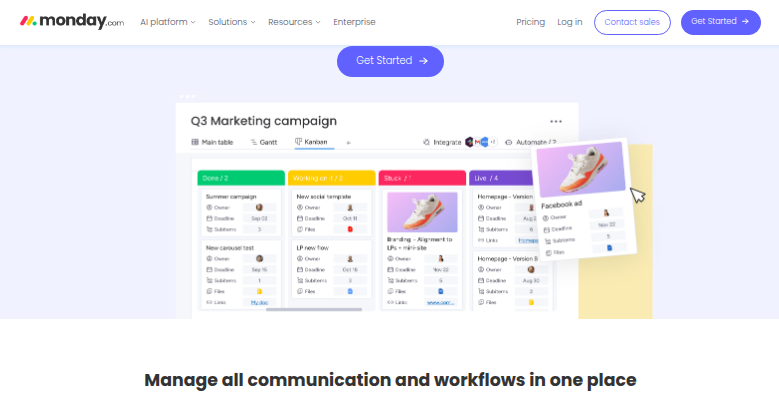
A monday.com board is a table of items sorted into groups, with a column for each thing the team tracks, such as the people responsible and the due date. The status column is the one everybody reads first: orange Working on it, red Stuck and green Done are the labels every new status column starts with.
The same items open as a Kanban, a Gantt chart, a timeline or a calendar, and dashboards pull numbers from several boards onto one screen. WorkForms let people outside the team submit requests straight onto a board. A PMO tracks its portfolio of projects this way, and operations keeps its recurring checklists on boards.
In May 2026 monday.com relaunched itself as an AI work platform, with agents built in that any team member can configure and that act inside the account's existing permissions. The weekly meeting still opens on the items marked Stuck and the names beside them.
Board items start life in a chat and get retyped by hand
A site supervisor posts a request in the team's WhatsApp group, and the coordinator turns it into an item, then goes back to fill in the person and the date. The board's WorkForm for requests goes unused, because the supervisor is standing on a site with WhatsApp already open. A delivery date that belongs in a column sits on a supplier's portal until the buyer copies it across.
Items with no owner collect at the bottom of a group, and the coordinator finds overdue work by scrolling, then sends each reminder as a separate message. Statuses stay on Working on it for days after the job finished, because whoever finished it went straight on to the next one.
Recipes react to the board and to apps with a monday.com integration
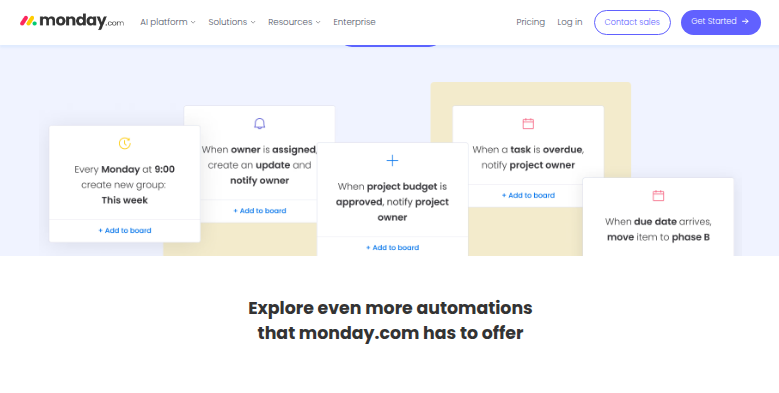
When a status changes, a monday.com recipe can notify someone; when a date arrives, it can send a reminder; when an item is created, it can assign it or create a follow-up task. Recipes are built without code, more than 850 integrations and apps connect a board to tools such as Gmail, Outlook, Slack and Jira, and a recipe can sync due dates to Google Calendar.
Recipes and integrations each draw on a monthly allowance of actions: 250 automation actions and 250 integration actions on the Standard plan, and 25,000 of each on Pro. Standard also includes two thousand AI credits a month for the platform's AI features.
Every recipe starts from a change on the board, a date, or an event in an app monday.com integrates with. A new date on a supplier's portal, or a crop stage in a cultivation system with no monday.com listing, reaches no recipe, so the item waits for a person to type it however many actions are left in the month.
The coordinator stops retyping WhatsApp requests into items
When a site supervisor posts a request in the WhatsApp group, the coordinator can assign it straight from the board, where it already sits as an item with the site and the due date filled in and the supervisor's message quoted in its updates.
In a grow operation, the head grower can hand out the day's pruning, trellising and scouting from items that match the crop stage each room shows in the cultivation system. A buyer whose supplier moves a delivery date on its portal can re-plan from the purchase item, whose date column already holds the new date.
The team lead can settle ownership gaps each Monday from a Microsoft Teams post that lists, board by board, the items with no person or no date. Each morning the team gets overdue and due-today items as one WhatsApp chase list, and every deadline also sits on Google Calendar.
A browser signed in to WhatsApp and monday.com can write the item
Both jobs happen in browser tabs, WhatsApp Web or the supplier's portal open next to the monday.com board. WebRun is an AI agent that works a real Chrome browser, signed in as you. From the group or the portal, it creates or updates items in the columns your team uses, after checking the board for one that already covers the request.
Its edits are a member's edits, so they use none of the month's automation actions, and the board's activity log records each one under its account. Each workflow names the columns it may fill, so on a board where Done fires a recipe that emails the client, Status stays with people. Further down are the Monday audit of items with no owner and the morning chase list for overdue work.
Questions people ask
Will it take up one of our monday.com seats?
Yes, to write items. monday.com's viewers are free but read-only, with no editing rights, so a viewer account could report on boards but not create or update an item; writing takes a member seat on the boards it works on.
Would monday.com's built-in agents do the same job?
They would when everything the job needs is already in monday.com or in a tool it connects to, because monday.com's agents work on the account's own data, inside its permissions. WebRun is for the step that starts on a site with no connector, such as a supplier's portal.
Can it fill the People, Date and Status columns, or only the item name?
Any column the workflow names, including People, Date and Status, plus a link back to the source message. Every other column stays as it was.
Sources
- monday.com pricing Standard includes 250 automation actions and 250 integration actions a month, Pro 25,000 of each and Enterprise up to 250,000 combined; AI credits by plan (2,000 a month on Standard); free viewers are read-only and guests start on Standard.
- monday.com automations Code-free automations for notifications, date reminders, auto-assigning, task creation, handovers and custom recipes, including syncing due dates with Google Calendar.
- monday.com integrations 850+ integrations and apps, naming Gmail, Outlook, Slack, Microsoft Teams, Jira, GitHub, GitLab and Salesforce, plus APIs and SDKs for custom work.
- monday work management The product page, now headed as an AI work platform for people and agents, listing boards, dashboards, Kanban, Gantt, timeline and calendar views, WorkForms, WorkDocs, the Agent builder and the Sidekick assistant.
- monday.com Goes All In on AI: From Work Management Platform to AI Work Platform monday.com, 6 May 2026: the relaunch as an AI work platform, with native agents any team member can configure that act inside the account's existing permissions.
- Status column (monday.com API reference) The default status labels are Working on it (orange), Done (green) and Stuck (red).
- Board activity logs (monday.com API reference) Each activity log entry records the event, the user who initiated it, the item's column values and the time.
4 ready-made monday.com workflows
Each one names the apps it touches and the exact steps it takes. Open one to read what it will do, then turn it on.



Want one of these running on your own monday.com?
Show WebRun the process once and it will run it on schedule, in your own private browser environment.