How to Automate Canva
Canva's own tools start from data someone has prepared: Bulk Create fills a template from rows of data, Brand Templates keep every version on brand, and the Content Planner schedules posts. An AI agent like WebRun can fill a template straight from a booking or shop system when something happens there.
 Written by
Hannah Vogel
Finance operations
Written by
Hannah Vogel
Finance operations
 Reviewed by
Nikhil Bhatt
Automation strategist
Reviewed by
Nikhil Bhatt
Automation strategist
Canva turns a Brand Kit and a template into this week's posts
A small business makes its social posts, flyers, menus, presentations and certificates in Canva, in a browser and from templates. A team account adds a shared Brand Kit with the logo, colours and fonts, and folders where finished designs live. The same few templates come back week after week: the Monday special, the new-listing post, the event poster, the certificate of completion.
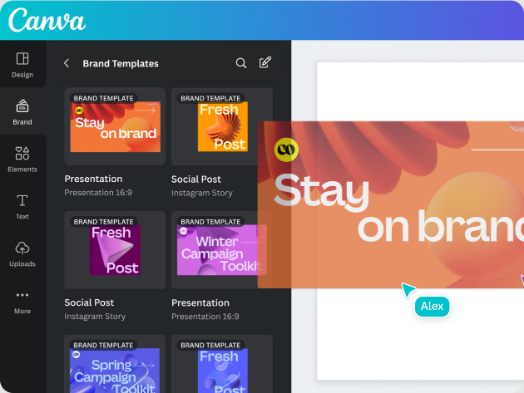
A brand designer builds a Brand Template once and locks what nobody should change; a text lock can leave the words editable while the font, size and colour stay fixed. A salon receptionist or a franchise manager then swaps the words and the photo without breaking the look, and on Canva Teams and Enterprise a template can require approval before anyone downloads or publishes a design made from it.
Every template gets retyped with this week's names, dates and prices
Each week the marketing assistant copies the new captions from a planning sheet into the template one at a time, swaps the photo, saves each version and shares it. At a language school, the office manager opens the certificate template for every student who finished a level, types the name and the date, and exports a PDF to attach to an email. For an estate agent, every new listing means typing an address and a price into the just-listed post.
Handoffs add a loop of their own. A designer marks a draft as ready, and nobody on the review side notices until someone asks in Microsoft Teams. Links to finished designs end up scattered across messages, and someone posts last month's version by mistake.
Bulk Create fills a template from a spreadsheet someone has to prepare
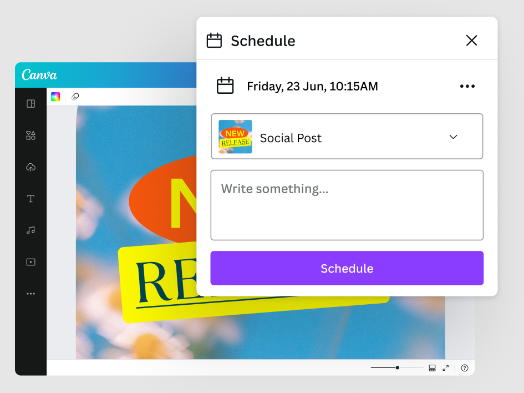
Bulk Create links a design's text and image placeholders to rows of data from Canva Sheets, a CSV or Excel file, a data app such as HubSpot, or values typed in, and makes one design per row, up to 300 rows at a time, on desktop and on paid plans. Brand Templates with locks keep those designs on brand. The Content Planner schedules finished designs to Facebook Pages, Instagram business accounts, LinkedIn, Pinterest and a few others, and developers can go further with the Connect APIs, whose Autofill fills a Brand Template from their own data.
Bulk Create runs when a person opens it in the editor with the rows ready, and those rows usually live in a booking system or a class register that has no Canva data app. Autofill closes that gap only for a team with a developer to write against the API, and Canva says usage limits for it will come later.
The certificate is ready the evening the last class ends
At a cooking school, the office could send each student's certificate on the evening of their last session: the booking system shows the series complete, the Brand Template carries the student's name and course, and the email with the PDF attached sits in the office's drafts.
An estate agent's assistant could post the just-listed image within the hour of a property going live, with the price and the address taken from the listing rather than retyped. A café owner could print the morning's menu from a Brand Template whose prices come from the till system's back office instead of from memory.
The marketing assistant would only check the week's designs: one per caption on the list, saved unpublished in the week's folder on Monday, with the links listed in Google Sheets and a WhatsApp note that the batch is ready. A reviewer could pick up each design marked ready from a card in Trello, while the design channel in Microsoft Teams gets a post about it.
Details from the booking system go straight into the template's placeholders
A certificate's placeholders need a name, a course and a date, and all three are on the booking system's screen. WebRun is an AI agent that works a real Chrome browser, signed in as you. With your Canva account open in the same browser, it copies the details into the Brand Template, saves the design in the right folder and records the link where your team tracks work.
It fills placeholders with a team member's permissions, so a locked element stays locked and a template set to need approval still needs it. The email carrying a certificate stays in the office's drafts. Each card on this page starts from one template and the system that fills it.

Questions people ask
Will it post designs to our social accounts?
No. It saves designs unpublished, and scheduling a post in the Content Planner stays with the person who approved the design.
Is Canva Free enough for this?
Not for these jobs. Brand Templates and Bulk Create come with paid plans such as Pro and Business, and design approval on a Brand Template needs Canva Teams or Enterprise. WebRun can use whatever the connected account's plan includes, and nothing beyond it.
Why not just use Bulk Create?
Use it when the rows already sit in a sheet and someone is at a desktop to run it. Designs that should appear when something happens elsewhere, such as a finished course or a new listing, are the agent's job, with no sheet prepared first.
Sources
- Bulk Create Bulk Create links data to placeholders from Canva Sheets, CSV or XLSX files, data apps such as Google Analytics and HubSpot, or manual entry, up to 300 rows and 150 columns, on paid plans and desktop only.
- Autofill guide The Autofill API fills brand templates with your own data through the Canva REST APIs; autofill and brand templates are available on Canva Pro, Teams and Enterprise, and usage limits are to be introduced.
- Content Planner Schedules designs to Facebook Pages, Instagram business accounts, Twitter, LinkedIn, Pinterest, Slack and Tumblr on paid plans, with up to 80 connected social accounts per user per team.
- Brand Templates Canva's help hub for publishing designs as Brand Templates, applying locks and managing design approval settings.
- Apply locks to Brand Templates Admins and brand designers apply locks; a text lock can fix formatting while leaving the words editable.
- Manage Brand Template design approval settings On Canva Teams and Enterprise, members can be required to get approval on designs made from a Brand Template before downloading or publishing them.
4 ready-made Canva workflows
Each one names the apps it touches and the exact steps it takes. Open one to read what it will do, then turn it on.


Want one of these running on your own Canva?
Show WebRun the process once and it will run it on schedule, in your own private browser environment.