Prepare completion certificates for students
Every night, WebRun opens Teachworks to find students who completed a course level, designs a personalized certificate in Canva, and drafts a congratulatory email in Gmail with the certificate attached, ready for staff to send.
- No credit card
- Under $0.01 per run
- Cancel anytime
What does WebRun do on every run?
The exact actions WebRun takes, in order - in plain language, so you can adjust anything.
-
WebRun signs in and gets to work
Opens
app.teachworks.comin a real browser with your saved login - no setup, no API keys. -
1
Teachworks - find students who completed a level
teachworks.com How to Automate Teachworks

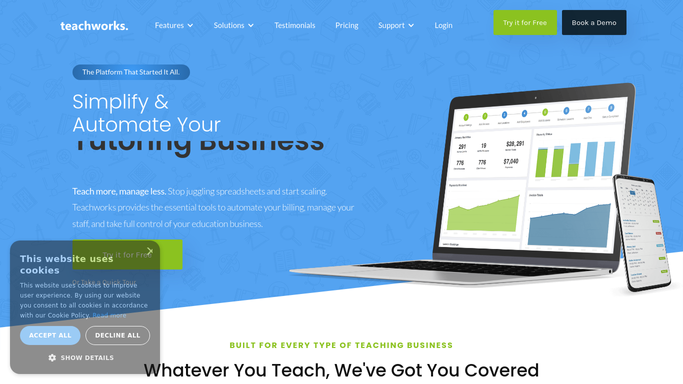
WebRun opens Teachworks to find students who completed a level. - Open Teachworks and find students who finished their final assessment for a level today
- Confirm their attendance and hours meet the completion requirement
- Capture the student's full name, level completed, and completion date
Done when Every student who completed a level today is confirmed and listed.
-
2
Canva - design a personalized certificate
canva.com How to Automate Canva
WebRun opens Canva to design a personalized certificate. - Open the school's certificate template in Canva
- Fill in the student's name, level, completion date, and program
- Export the finished certificate as a PDF for each student
Done when A personalized certificate PDF exists in Canva for every student who completed a level.
-
3
Gmail - draft the congratulatory email
gmail.com How to Automate Gmail
WebRun opens Gmail to draft the congratulatory email. - Draft a congratulatory email to the student with the certificate PDF attached
- Mention their next available level or course if one exists
- Save as a draft for staff to review and send. Never auto-send to a student
Done when A draft congratulatory email is ready in Gmail for every completed level.

How do I automatically generate completion certificates for language students?
Every night, WebRun finds students in Teachworks who completed a course level that day, checks their attendance and hours against the completion requirement, and designs a personalized certificate in Canva. It drafts a congratulatory email in Gmail with the certificate attached, held for staff to review and send the next morning.
- Students get a certificate drafted the same night they finish a level
- Staff send a polished, on-brand certificate instead of designing one from scratch
- Completion checks come from live Teachworks data, not a manual roster review
Built for language schools · ESL academies · language institutes · online language academies
How is each run configured?
Secure by default
Connect once, stays signed in
WebRun signs in once and keeps each session in a persistent environment, so every run picks up right where it left off.
Every action is checked against this policy before it runs.
Questions, answered
Will it email the certificate to a student automatically?
No. The congratulatory email is saved as a Gmail draft with the certificate attached. A staff member reviews and sends it, so every certificate goes out with a human check first.
How does it confirm a student actually completed the level?
It checks the student's final assessment result and required hours in Teachworks, and only generates a certificate once both meet the completion requirement for that level.
Can it use our school's own certificate design?
Yes. Give WebRun your existing Canva certificate template and it will fill in each student's name, level, and date into that design rather than a generic one.
Related templates
Put this on autopilot.
Turn it on in minutes - or have our team set it up for you.