Turn this week's saves into one playlist
Every Monday, WebRun opens Apple Music, gathers the songs and albums you added to your library in the past week, builds a new dated playlist from them, saves the tracklist to Google Drive, and puts the playlist on your Google Calendar so the week has a current list ready.
- No credit card
- Under $0.01 per run
- Cancel anytime
How do I turn the music I saved this week into a playlist automatically?
Every Monday WebRun opens Apple Music, gathers everything you added to your library in the past week, and builds a new dated playlist from those songs and albums. It saves the tracklist to Google Drive and puts the playlist and its link on your Google Calendar for the week.
- A current playlist exists every Monday with nobody curating it
- Every week's tracklist is archived in Drive for reference
- Nothing is removed from your library or shared without you
Built for venues and cafes · music curators · office and studio teams · playlist owners
What does WebRun do on every run?
The exact actions WebRun takes, in order - in plain language, so you can adjust anything.
-
WebRun signs in and gets to work
Opens
music.apple.comin a real browser with your saved login - no setup, no API keys. -
1
Apple Music - build the week's playlist
music.apple.com
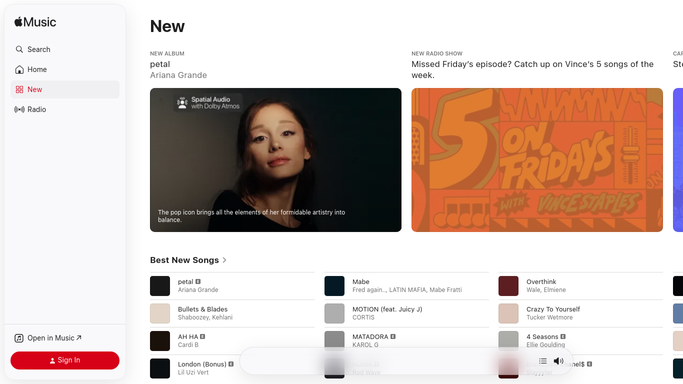
WebRun opens Apple Music to build the week's playlist. - Open Apple Music and go to recently added in your library
- Collect the songs and albums saved since last Monday, with the artist and album for each
- Create a new playlist named with this week's date and add those tracks to it
- Never delete tracks or overwrite an older playlist. Each week gets its own new list, and sharing stays with you
Done when A new dated playlist exists holding everything saved to the library this week.
-
2
Google Drive - file the tracklist
drive.google.com How to Automate Google Drive

WebRun opens Google Drive to file the tracklist. - Save the tracklist to your music folder as a dated file: song, artist, album and the day it was added
- Keep every previous week alongside it so the archive builds on its own
- Note which tracks were already in an earlier week so repeats are easy to spot
Done when This week's tracklist is filed in Drive next to every earlier week.
-
3
Google Calendar - put it on the week
calendar.google.com How to Automate Google Calendar

WebRun opens Google Calendar to put it on the week. - Add a short entry to this week naming the new playlist and how many tracks it holds
- Put the top few artists in the entry description so the flavour of the week is obvious at a glance
- Check the week ahead for events the playlist is meant for and name it accordingly
Done when The week's calendar shows the new playlist and what is on it.
How is each run configured?
Secure by default
Connect once, stays signed in
WebRun signs in once and keeps each session in a persistent environment, so every run picks up right where it left off.
Every action is checked against this policy before it runs.
Questions, answered
Will it share the playlist publicly?
No. WebRun builds the playlist inside your own Apple Music library and leaves it there. Publishing or sending a share link stays a decision you make yourself.
Does it delete anything from my library?
No. Each run creates a new dated playlist and never removes a track, an album or an older playlist, so nothing you saved can be lost by a run.
What if I saved nothing that week?
No playlist is created and the calendar entry says the week was quiet, so an empty list never appears and the archive in Drive stays honest.
Related templates
Put this on autopilot.
Turn it on in minutes - or have our team set it up for you.