Get a clean weekly export of every email you found
Every Friday, WebRun opens Anymail Finder, compiles every email found and verified over the week, exports the list to a dated file in Google Drive, and alerts Slack with the total found and the verification rate, so the team has both a permanent record and a quick read on how clean this week's finds were.
- No credit card
- Under $0.01 per run
- Cancel anytime
How do I get a weekly export of Anymail Finder results?
Every Friday, WebRun opens Anymail Finder and compiles every email found and verified over the week, exporting the list to a dated file in Google Drive. It alerts Slack with the total found and the verification rate, so the team has both a permanent record and a quick read on how clean this week's finds actually were.
- Every week's finds are preserved in a dated, searchable export
- The team gets a quick quality signal, not just a raw count
- Verification rate trends are visible over time
Built for outbound sales teams · growth marketing · agencies · demand generation
What does WebRun do on every run?
The exact actions WebRun takes, in order - in plain language, so you can adjust anything.
-
WebRun signs in and gets to work
Opens
anymailfinder.comin a real browser with your saved login - no setup, no API keys. -
1
Anymail Finder - compile this week's found emails
anymailfinder.com
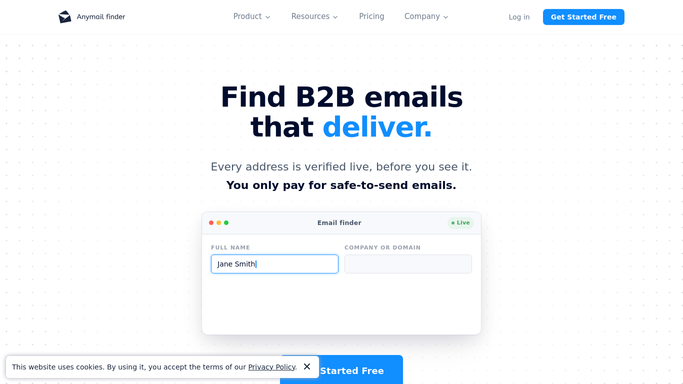
WebRun opens Anymail Finder to compile this week's found emails. - Open Anymail Finder and review emails found and verified over the week
- Note the verification status and source for each
- Calculate the overall verification rate
Done when This week's found and verified emails are compiled with a verification rate.
-
2
Google Drive - export the list to a file
drive.google.com How to Automate Google Drive

WebRun opens Google Drive to export the list to a file. - Export the compiled list to a dated file in the shared prospecting folder
- Include the verification status for each row
- Keep prior weeks' files in place for reference
Done when This week's export is saved in Google Drive.
-
3
Slack - alert the team with the verification rate
slack.com How to Automate Slack

WebRun opens Slack to alert the team with the verification rate. - Post the total emails found and the verification rate to the team channel
- Compare it against last week's rate
- Link to the saved export in Drive
Done when The team has this week's find count and verification rate in Slack.
How is each run configured?
Secure by default
Connect once, stays signed in
WebRun signs in once and keeps each session in a persistent environment, so every run picks up right where it left off.
Every action is checked against this policy before it runs.
Questions, answered
Does it verify the emails itself?
No. WebRun reads the verification status Anymail Finder already assigns to each found email. It does not run a separate verification step.
Why track the verification rate weekly?
So the team can see if the quality of finds is trending up or down over time, not just how many emails were found.
Where does the exported file live?
In your shared Google Drive prospecting folder, with a new dated file each week so past weeks stay available for reference.
Related templates
Put this on autopilot.
Turn it on in minutes - or have our team set it up for you.