Track your clinic's upcoming Amwell visit schedule
Every morning, WebRun opens Amwell, checks each provider's schedule for upcoming and newly booked telehealth visits, logs the date, time, and provider to Google Sheets, and emails the front desk a digest of today's and this week's visit load.
- No credit card
- Under $0.01 per run
- Cancel anytime
How do I track my clinic's upcoming Amwell telehealth schedule?
WebRun checks Amwell every morning for upcoming telehealth visits across your providers, logs each one to Google Sheets with the date, time, and provider, and emails the front desk a daily schedule digest. It only reads scheduling details, never clinical notes, so a clinic always knows today's visit load without opening Amwell for every provider.
- Front desk staff see the full visit load before the day starts
- Provider schedules stay logged in one sheet instead of separate logins
- No clinical detail from a visit ever appears in the digest
Built for Clinic front desk staff · practice managers · telehealth coordinators · healthcare administrators
What does WebRun do on every run?
The exact actions WebRun takes, in order - in plain language, so you can adjust anything.
-
WebRun signs in and gets to work
Opens
patients.amwell.comin a real browser with your saved login - no setup, no API keys. -
1
Amwell - check upcoming visits
amwell.com
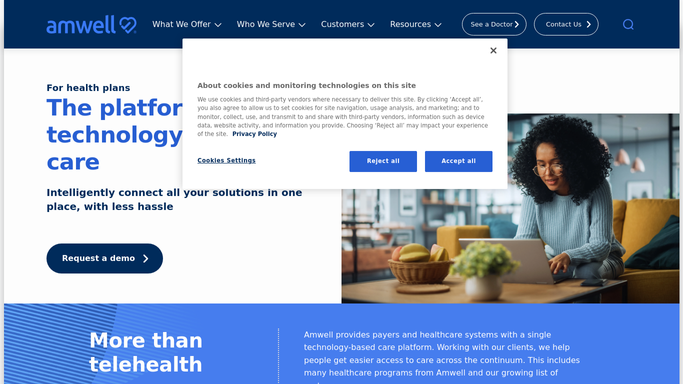
WebRun opens Amwell to check upcoming visits. - Open Amwell and review each provider's upcoming visit schedule
- Note the date, time, and provider for anything upcoming or newly booked
- Flag any visit scheduled for today
Done when Every provider's upcoming visits have been captured.
-
2
Google Sheets - log the visit schedule
google.com How to Automate Google Sheets

WebRun opens Google Sheets to log the visit schedule. - Open the clinic visit schedule sheet
- Add or update a row for each visit with date, time, and provider
- Mark past visits as completed
Done when The schedule sheet matches what is currently booked in Amwell.
-
3
Gmail - email the daily digest
gmail.com How to Automate Gmail

WebRun opens Gmail to email the daily digest. - Draft a short daily email listing today's and this week's visit load per provider
- Send it to the front desk inbox
- Highlight any provider with a fully booked day
Done when The daily schedule digest email is sent.
How is each run configured?
Secure by default
Connect once, stays signed in
WebRun signs in once and keeps each session in a persistent environment, so every run picks up right where it left off.
Every action is checked against this policy before it runs.
Questions, answered
Does WebRun book or cancel Amwell visits?
No. It only reads visits that are already scheduled and reports on them. Booking, rescheduling, and canceling are always left to your staff.
Does it see clinical notes from the visit?
No. It logs scheduling details only, provider, date, and time, never clinical notes or diagnosis information.
What if a provider's schedule changes during the day?
It rereads Amwell each morning, so the sheet and digest reflect the schedule as of that check.
Related templates
Put this on autopilot.
Turn it on in minutes - or have our team set it up for you.