Never get surprised by an Aiven maintenance update
Every morning, WebRun signs in to the Aiven console, walks your services looking for pending maintenance updates and version upgrades with a scheduled window, opens a Trello card for each one with its service and date, and sends the on-call engineer a WhatsApp heads-up for anything landing this week.
- No credit card
- Under $0.01 per run
- Cancel anytime
How do I keep track of pending Aiven maintenance windows?
WebRun tracks Aiven maintenance for you every morning. It walks your services in the Aiven console, finds pending maintenance updates and version upgrades, opens a dated Trello card for each, and messages the on-call engineer on WhatsApp about any window inside seven days, so no upgrade lands unplanned.
- Every maintenance window is on the board before it opens
- On-call knows about this week's upgrades without checking the console
- Version upgrades get an owner instead of being applied by surprise
Built for platform engineers · DevOps teams · SRE teams · data infrastructure teams
What does WebRun do on every run?
The exact actions WebRun takes, in order - in plain language, so you can adjust anything.
-
WebRun signs in and gets to work
Opens
console.aiven.ioin a real browser with your saved login - no setup, no API keys. -
1
Aiven - find pending maintenance updates
aiven.io
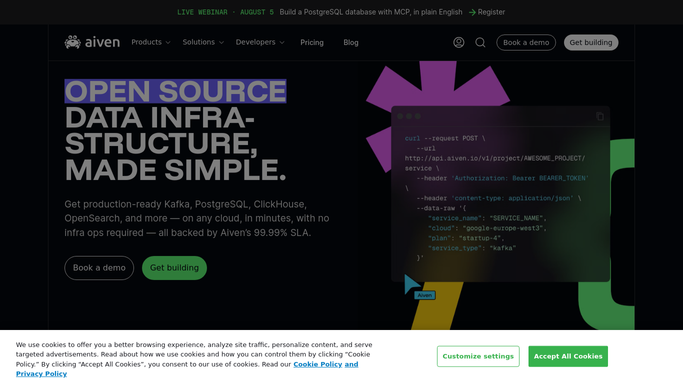
WebRun opens Aiven to find pending maintenance updates. - Sign in to the Aiven console and open each project's service list
- Check every service for a pending maintenance update or an available version upgrade
- Capture the service name, plan, cloud region, and the scheduled maintenance window
- Flag any service whose window falls inside the next seven days
Done when Every service with pending maintenance is listed with its window date.
-
2
Trello - open a card per upgrade
trello.com How to Automate Trello

WebRun opens Trello to open a card per upgrade. - Open your infrastructure board and check for an existing card per service and window
- Create a card for each new pending update, titled with the service and the window date
- Set the card due date to the day before the maintenance window opens
- Add the project, region, and current version to the card description
Done when Every pending update has a dated Trello card and no duplicates were created.
-
3
WhatsApp - warn the on-call engineer
whatsapp.com How to Automate WhatsApp

WebRun opens WhatsApp to warn the on-call engineer. - Send the on-call engineer a WhatsApp message listing anything with a window inside seven days
- Put the soonest window first with the service name and the exact date
- Link the Trello card so the engineer can pick it up without hunting
Done when The on-call engineer knows every maintenance window landing this week.
How is each run configured?
Secure by default
Connect once, stays signed in
WebRun signs in once and keeps each session in a persistent environment, so every run picks up right where it left off.
Every action is checked against this policy before it runs.
Questions, answered
Will it apply the maintenance update itself?
No. WebRun only reads the Aiven console and reports. Applying an update, rescheduling a window, or upgrading a version is always done by an engineer.
Does it create a duplicate card every morning?
No. It checks the board for an existing card for that service and window first, and only opens a new one when there is not one already.
What if a window is already inside 24 hours?
That service is put at the very top of the WhatsApp message and marked urgent, so the on-call engineer sees it before anything with a longer runway.
Related templates
Put this on autopilot.
Turn it on in minutes - or have our team set it up for you.