Log every Agoda booking for finance
Every Monday, WebRun opens Agoda, finds every upcoming booking and its cancellation deadline, matches each one to the client's trip page in Notion, and exports the full log to Google Sheets so finance always has current numbers.
- No credit card
- Under $0.01 per run
- Cancel anytime
How do I keep a running log of every Agoda booking for finance?
WebRun checks Agoda every Monday for upcoming bookings and their cancellation deadlines, matches each one to the right trip in Notion, and exports the full log to Google Sheets. Finance gets one current record of every reservation, its cost, and its deadline, without anyone manually copying booking details between apps.
- Finance sees every booking and deadline in one sheet each Monday
- No reservation gets missed before its cancellation deadline
- Trip pages in Notion stay matched to the live booking record
Built for travel coordinators · corporate travel managers · small travel agencies · finance teams
What does WebRun do on every run?
The exact actions WebRun takes, in order - in plain language, so you can adjust anything.
-
WebRun signs in and gets to work
Opens
www.agoda.com/account/signin.htmlin a real browser with your saved login - no setup, no API keys. -
1
Agoda - find upcoming bookings and deadlines
agoda.com
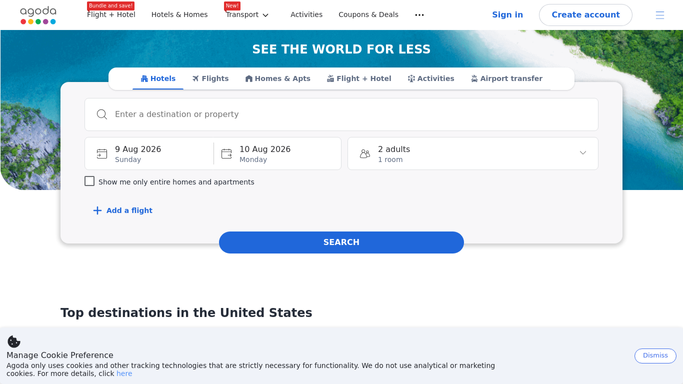
WebRun opens Agoda to find upcoming bookings and deadlines. - Open Agoda and list every upcoming reservation
- Capture the property, dates, and cancellation deadline for each
- Flag any booking with a deadline in the next 48 hours
Done when Every upcoming booking is listed with its cancellation deadline.
-
2
Notion - match each booking to its trip page
notion.so How to Automate Notion

WebRun opens Notion to match each booking to its trip page. - Match each booking to the client or trip page in Notion
- Note the traveler and purpose against the reservation
- Add new bookings that don't have a page yet
Done when Every booking is linked to its trip page in Notion.
-
3
Google Sheets - export the full booking log
google.com How to Automate Google Sheets

WebRun opens Google Sheets to export the full booking log. - Export the full booking log with dates and costs
- Refresh the running total for the month
- Highlight any booking closing in on its deadline
Done when Finance has an up to date export in Google Sheets.
How is each run configured?
Secure by default
Connect once, stays signed in
WebRun signs in once and keeps each session in a persistent environment, so every run picks up right where it left off.
Every action is checked against this policy before it runs.
Questions, answered
Does WebRun book or cancel anything on Agoda?
No. It only reads your existing reservations. Booking, changing, and cancelling stays are always left to you.
How does it know which trip a booking belongs to?
It matches the guest name and dates against your trip pages in Notion, and creates a new page for any booking it can't match.
What happens as a cancellation deadline gets close?
It flags the booking in the Sheets export so finance and the traveler can see which reservations need a decision first.
Related templates
Put this on autopilot.
Turn it on in minutes - or have our team set it up for you.