Answer disputes before the response window closes
Every morning, WebRun signs into your Affirm merchant account, reads every open dispute with its response due date, opens a Trello card per case listing the order and the evidence to attach, and sends the deadlines to WhatsApp so nothing lapses unanswered.
- No credit card
- Under $0.01 per run
- Cancel anytime
How do I make sure I respond to payment disputes in time?
Every morning WebRun signs into your Affirm merchant account, reads the open disputes, and works out how many days are left to respond to each one. It opens a Trello card per dispute listing the order and the evidence to attach, and sends the deadlines to WhatsApp so no window closes unanswered.
- No dispute is lost purely because the response window closed
- Each case arrives with the evidence to attach already listed
- Disputes with under three days left are separated out every morning
Built for ecommerce merchants · finance teams · customer support leads · operations managers
What does WebRun do on every run?
The exact actions WebRun takes, in order - in plain language, so you can adjust anything.
-
WebRun signs in and gets to work
Opens
www.affirm.comin a real browser with your saved login - no setup, no API keys. -
1
Affirm - read open disputes and due dates
affirm.com
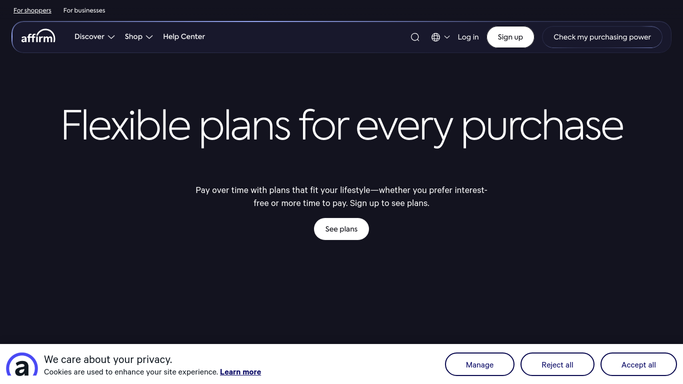
WebRun opens Affirm to read open disputes and due dates. - Sign into your Affirm merchant account and open the disputes area
- List every dispute still awaiting a response from you
- Capture the customer, the amount, the reason given, and the response due date
- Work out how many days are left on each one
- Note the order or charge each dispute relates to
Done when Every open dispute is listed with its reason, amount, and days remaining.
-
2
Trello - open a card per dispute
trello.com How to Automate Trello

WebRun opens Trello to open a card per dispute. - Create a card per open dispute with the due date set as the card deadline
- Name the order, the amount, and the reason on the card
- List the evidence to gather: the order record, delivery proof, and any customer messages
- Move cards with fewer than three days left into an urgent list
- Close the card once the response has been filed by a person
Done when Every open dispute has a dated card with its evidence checklist.
-
3
WhatsApp - send the deadlines
whatsapp.com How to Automate WhatsApp

WebRun opens WhatsApp to send the deadlines. - Send the merchant a short message with disputes due in the next few days
- Put the shortest deadline first with the amount at stake
- Link the Trello card so the evidence list is one tap away
- Never submit a response or accept a dispute. A person files every case
Done when You have today's dispute deadlines on WhatsApp with nothing filed for you.
How is each run configured?
Secure by default
Connect once, stays signed in
WebRun signs in once and keeps each session in a persistent environment, so every run picks up right where it left off.
Every action is checked against this policy before it runs.
Questions, answered
Will it submit a dispute response for me?
No. Filing a response is final and cannot be taken back, so WebRun only prepares the card and the evidence list. A person reviews and submits every case.
Does it contact the customer?
No. It never emails or messages the buyer. The only message it sends is an internal WhatsApp note to you with the deadlines.
How much warning do I get?
Every open dispute is listed daily with its days remaining, and anything with fewer than three days left is moved into the urgent list and named first in the message.
Related templates
Put this on autopilot.
Turn it on in minutes - or have our team set it up for you.