Keep your brand type list honest
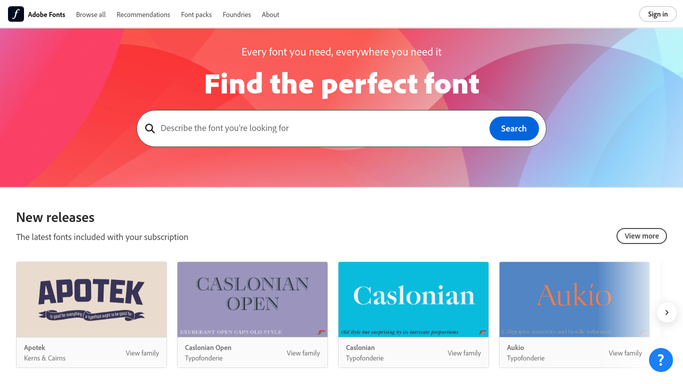
Once a month, WebRun opens Adobe Fonts, lists every family currently activated on the account and every web project with the fonts it serves, writes the inventory into Airtable, marks anything that is not on your approved brand list, and updates the type section of your Notion brand guide so designers work from the real list.
- No credit card
- Under $0.01 per run
- Cancel anytime
What does WebRun do on every run?
The exact actions WebRun takes, in order - in plain language, so you can adjust anything.
-
WebRun signs in and gets to work
Opens
fonts.adobe.comin a real browser with your saved login - no setup, no API keys. -
1
Adobe Fonts - list active families and web projects
fonts.adobe.com

WebRun opens Adobe Fonts to list active families and web projects. - Open Adobe Fonts and go to the active fonts view for the account
- Capture every activated family with the weights and styles turned on
- Open the web projects list and capture each project with the families and styles it serves
- Note any family that is activated but not used by a web project
Done when Every active family and every web project is captured with the styles it covers.
-
2
Airtable - record the inventory and flag strays
airtable.com How to Automate Airtable
WebRun opens Airtable to record the inventory and flag strays. - Open your brand asset base and add this month's font inventory rows
- Record the family, the weights, the web projects using it, and the activation date
- Mark any family that is not on your approved brand list as a stray
- Compare against last month and mark each row as added, removed, or unchanged
Done when This month's font inventory is in Airtable with strays and changes marked.
-
3
Notion - update the brand type guide
notion.so How to Automate Notion
WebRun opens Notion to update the brand type guide. - Open the type section of your brand guide in Notion
- Refresh the table of approved families with the weights currently activated
- Add a short changes block listing what was added or removed this month
- Leave a note for the design lead on any stray family rather than removing it yourself
Done when The Notion brand guide reflects the fonts that are actually active this month.


How do I keep track of which brand fonts are actually active?
WebRun opens Adobe Fonts once a month and lists every activated family and web project with the styles it serves. It writes the inventory into Airtable, flags families that are not on your approved brand list, and refreshes the type section of your Notion brand guide.
- Designers work from a type list that matches reality
- Off-brand families get named the month they appear
- Every web project is on record with the fonts it serves
Built for design teams · brand managers · creative agencies · marketing operations
How is each run configured?
Secure by default
Connect once, stays signed in
WebRun signs in once and keeps each session in a persistent environment, so every run picks up right where it left off.
Every action is checked against this policy before it runs.
Questions, answered
Will it deactivate fonts or change a web project?
No. WebRun only reads Adobe Fonts. It never deactivates a family, edits a web project, or changes which styles are served. Strays are flagged in Airtable and left for the design lead to decide on.
How does it know a font is off brand?
It compares each activated family against the approved brand list you keep in Airtable. Anything active that is not on that list is marked as a stray, with the web project using it named.
Does it overwrite the brand guide in Notion?
It refreshes only the type table and the changes block on the page you point it at. The rest of your brand guide, including anything a designer wrote by hand, is left untouched.
Related templates
Put this on autopilot.
Turn it on in minutes - or have our team set it up for you.