Collect every comment left on your shared PDFs
Every morning, WebRun opens Adobe Acrobat, goes through the documents you have shared for review, gathers the comments added since yesterday with the reviewer and the page behind each, builds one revision list per document in Notion, and emails you the roundup.
- No credit card
- Under $0.01 per run
- Cancel anytime
How do I collect all the comments left on my shared PDFs?
WebRun opens your shared Adobe Acrobat documents every morning and gathers the comments reviewers added since yesterday, with the writer and page behind each. It builds one revision list per document in Notion and emails you the roundup, so revisions happen in a single pass.
- Revisions happen in one pass instead of file by file
- Every comment carries the reviewer and the page it sits on
- Silent reviewers are named before the deadline passes
Built for designers · proposal writers · legal teams · marketing managers
What does WebRun do on every run?
The exact actions WebRun takes, in order - in plain language, so you can adjust anything.
-
WebRun signs in and gets to work
Opens
acrobat.adobe.comin a real browser with your saved login - no setup, no API keys. -
1
Adobe Acrobat - gather new comments
acrobat.adobe.com
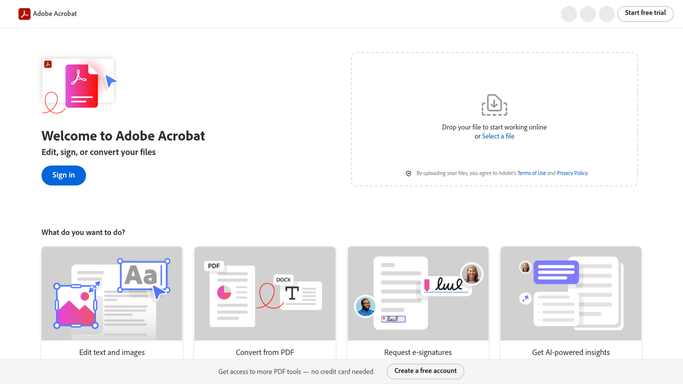
WebRun opens Adobe Acrobat to gather new comments. - Open Adobe Acrobat and list the documents you have shared for review
- Open each document and read the comments added since the last run
- Capture the comment text, the reviewer who wrote it, and the page it sits on
- Note which reviewers have opened the document but left nothing yet, and the review deadline on each file
- Leave the documents untouched. WebRun never replies to a comment or edits a PDF
Done when Every shared document has been read and each new comment is captured with its reviewer and page.
-
2
Notion - build the revision list
notion.so How to Automate Notion

WebRun opens Notion to build the revision list. - Open your review database in Notion and add a row per new comment
- Group the rows by document, then order them by page, so revisions happen in one pass
- Record the reviewer, the page, and the comment text on each row
- Add a line per document showing which reviewers are still silent and how long is left before the deadline
- Tick a row off once the change is made, so the next run only shows what is new
Done when Notion holds one grouped revision list per document, ordered by page.
-
3
Gmail - email you the roundup
gmail.com How to Automate Gmail

WebRun opens Gmail to email you the roundup. - Draft the roundup email to yourself: documents with new comments, and how many on each
- Put the documents nearest their review deadline at the top
- List the reviewers who have not commented yet, so a chase is your decision to make
- Send it to yourself only. WebRun never emails a reviewer on its own
Done when The morning comment roundup is in your inbox, ordered by review deadline.
How is each run configured?
Secure by default
Connect once, stays signed in
WebRun signs in once and keeps each session in a persistent environment, so every run picks up right where it left off.
Every action is checked against this policy before it runs.
Questions, answered
Will it reply to reviewers or edit the PDF?
No. WebRun reads the comments and builds a list. Replying to a comment, resolving it, or changing the document stays with you, so nothing your reviewers see changes on its own.
Does it email the reviewers?
No. The only email goes to you. If a reviewer needs chasing, WebRun tells you who has been silent and you decide whether to send anything.
What about comments I have already handled?
Tick the row off in Notion and it stays off. Each run only reports comments added since the last one, so you are not rereading yesterday's list.
Related templates
Put this on autopilot.
Turn it on in minutes - or have our team set it up for you.