Automated 123FormBuilder Launch Checks
Every morning, WebRun opens 123FormBuilder, goes through the forms built since the last run, checks the required fields are set, the notification emails point at a real recipient and the connected integration is active, writes a pass or fail line per form in Notion, and sends you the verdict on WhatsApp before the link goes out.
How do I check a new form works before publishing the link?
WebRun opens 123FormBuilder each morning and inspects every newly built form: required fields set, notification emails pointing at a real recipient, and the connected integration active. It records a pass or fail per check in Notion and sends the verdict on WhatsApp, so no campaign runs on a form whose alerts go nowhere.
- Every new form is checked before the link is shared, not after the first complaint
- Notification emails pointing at a leaver or placeholder are caught the same morning
- Forms that fail twice in a row are obvious in the Notion checklist
Built for marketing teams · operations teams · agencies · web administrators
What does WebRun do on every run?
The exact actions WebRun takes, in order - in plain language, so you can adjust anything.
-
WebRun signs in and gets to work
Opens
123formbuilder.comin a real browser with your saved login - no setup, no API keys. -
1
123FormBuilder - inspect fields, alerts and integrations
123formbuilder.com
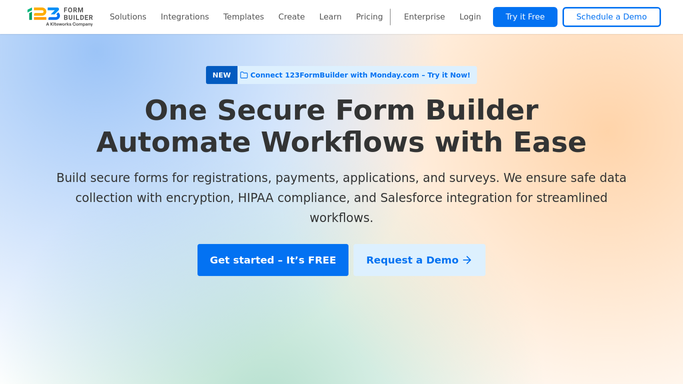
WebRun opens 123FormBuilder to inspect fields, alerts and integrations. - Open 123FormBuilder and list the forms created or edited since the last run
- Check every field marked required is actually set to required, and note fields that collect data with no validation
- Open the notification settings and confirm each alert email points at a real, current recipient rather than a leaver or a placeholder
- Check the connected integration is switched on and mapped to the right destination
- Look at whether any test submissions have come through and where they landed
Done when Every new form has its fields, notification recipients and integration checked.
-
2
Notion - record the pass or fail
notion.so

WebRun opens Notion to record the pass or fail. - Add a row per form to your launch checklist page with a pass or fail against each check
- Write the exact reason beside every fail, such as a notification address nobody reads or an integration left off
- Keep the previous run's rows so a form that failed twice is obvious
- Mark a form ready to publish only when every check passes
Done when The Notion checklist shows a pass or fail per check for every new form.
-
3
WhatsApp - send the launch verdict
whatsapp.com

WebRun opens WhatsApp to send the launch verdict. - Send yourself the verdict: which forms are ready to publish and which are not
- Put the failures first with the one thing that has to be fixed on each
- Skip the message on a morning where no new form was built
Done when You have this morning's launch verdict on WhatsApp.
How is each run configured?
Secure by default
Connect once, stays signed in
WebRun signs in once and keeps each session in a persistent environment, so every run picks up right where it left off.
Every action is checked against this policy before it runs.
Questions, answered
Will it publish the form or change my settings?
No. WebRun inspects the form and reports what it finds. It never publishes a form, never edits a field, and never changes a notification or integration setting. Every fix stays your click.
Does it submit test data through my form?
No. It reads the configuration and any submissions already there. It does not fill in or send a submission, so your response count and any connected destination stay clean.
What does a fail actually tell me?
The exact reason, written into the Notion row and the WhatsApp message: a field not really set to required, a notification address that goes nowhere, or an integration switched off. One line per problem.
Related templates
Put this on autopilot.
Turn it on in minutes - or have our team set it up for you.