Get a daily digest of new rental inquiries
Every morning, WebRun opens Zumper, checks each listing for new renter inquiries and tour requests, adds requested tour times to Google Calendar, and posts a digest of new leads to your leasing team in Microsoft Teams.
- No credit card
- Under $0.01 per run
- Cancel anytime
What does WebRun do on every run?
The exact actions WebRun takes, in order - in plain language, so you can adjust anything.
-
WebRun signs in and gets to work
Opens
www.zumper.comin a real browser with your saved login - no setup, no API keys. -
1
Zumper - check listings for new inquiries
zumper.com

WebRun opens Zumper to check listings for new inquiries. - Open Zumper and review each active listing
- Capture new inquiries and any requested tour time
- Note the listing, applicant name, and message for each
Done when Every new inquiry since yesterday has been captured.
-
2
Google Calendar - add requested tour times
calendar.google.com How to Automate Google Calendar
WebRun opens Google Calendar to add requested tour times. - Open the leasing calendar
- Add a tentative event for each requested tour time
- Include the listing address and applicant name on the event
Done when Every requested tour has a calendar hold.
-
3
Microsoft Teams - post the daily inquiry digest
microsoft.com How to Automate Microsoft Teams
WebRun opens Microsoft Teams to post the daily inquiry digest. - Post a digest of today's new inquiries to the leasing channel
- List each listing with the applicant and any tour request
- Flag listings with more than one new inquiry
Done when The leasing team has today's inquiry digest in Teams.
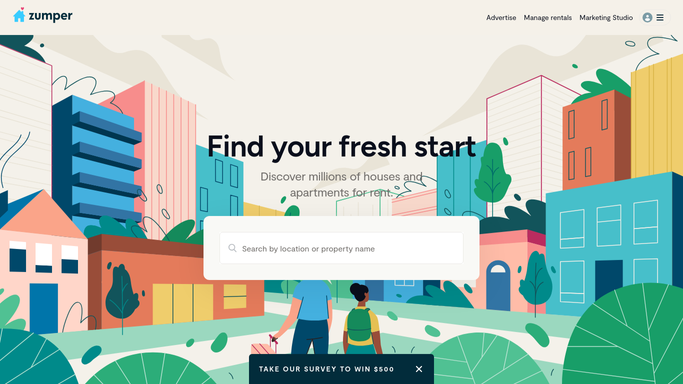


How do I get a daily digest of new Zumper rental inquiries?
WebRun checks your Zumper listings every morning for new renter inquiries and tour requests, adds any requested tour time to Google Calendar as a hold, and posts a digest of new leads to your leasing team in Microsoft Teams, so overnight inquiries get a same-day response instead of getting lost.
- New rental inquiries are visible every morning without checking each listing
- Tour requests get a calendar hold automatically
- Listings with multiple new leads are flagged for priority follow-up
Built for property managers · leasing agents · landlords · multifamily operators
How is each run configured?
Secure by default
Connect once, stays signed in
WebRun signs in once and keeps each session in a persistent environment, so every run picks up right where it left off.
Every action is checked against this policy before it runs.
Questions, answered
Will it reply to renters on its own?
No. WebRun only reads new inquiries and reports them. It never messages a prospective renter or confirms a tour on its own.
What happens to requested tour times?
It adds them to Google Calendar as a tentative hold with the listing and applicant name, so your leasing agent can confirm or reschedule.
What if a listing gets no new inquiries?
It's simply left off that day's digest, so the Teams post only ever shows listings with real activity.
Related templates
Put this on autopilot.
Turn it on in minutes - or have our team set it up for you.